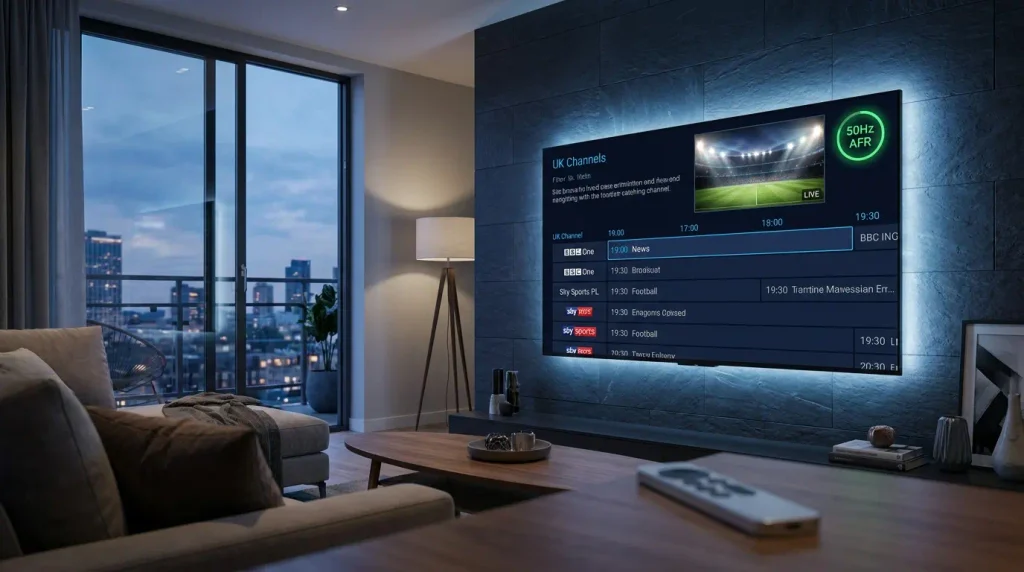
Editorial & Technical Disclaimer: This streaming architecture guide was written by Marcus Vance using broadcast engineering standards, playback diagnostics, and device testing. Ultimate IPTV Hub is an independent educational resource. We review media software and hardware configurations to help users optimize their setups. Always access streams through licensed, authorized platforms in your jurisdiction.
Last Updated: September 2026
Quick Answer
Streaming UK television channels smoothly—especially outside the United Kingdom—depends on three technical adjustments: matching the 50Hz European frame rate, calibrating your Electronic Program Guide (EPG) time-zone offset, and utilizing server-side Catch-Up TV. Optimizing a British IPTV setup requires enabling Hardware (HW) decoding and Auto Frame Rate (AFR) in your media player to prevent motion judder on 60Hz North American displays.
Whether you are a British expat living in the United States or Canada, a frequent traveler, or a domestic viewer transitioning away from traditional satellite dishes, configuring a reliable British IPTV environment requires more than simply loading a playlist. UK television broadcasts operate on specific technical standards that differ significantly from North American and global streaming defaults.
Viewers frequently encounter three distinct roadblocks when attempting to watch UK channels over the internet: micro-stuttering during fast camera pans in live football or drama series, misaligned TV guide schedules caused by Greenwich Mean Time (GMT) offsets, and sudden evening buffering caused by ISP traffic management. Without addressing these underlying device and network settings, even a high-speed fiber connection can deliver a frustrating viewing experience.
In this comprehensive 2026 technical guide, we will examine the broadcast architecture behind UK streams, explain how to calibrate your media player for 50fps rendering, and provide step-by-step troubleshooting to get the most out of your British IPTV configuration.
Diagram 1: End-to-end signal routing from UK broadcast feeds to local decoding hardware.
1. Core Architecture of a British IPTV Setup
When evaluating a British IPTV platform or configuring your own authorized playlist, it is important to understand how UK digital broadcasting is structured. Traditional British television relies on terrestrial (Freeview) and satellite (Freesat/Sky) multiplexes regulated by Ofcom. When these feeds are encoded for Internet Protocol delivery, they retain their native regional characteristics—specifically their frame rate, audio codecs, and XMLTV metadata tags.
To replicate the responsiveness of a traditional set-top box, your streaming setup must rely on three pillars:
- Low-Latency Edge Servers: If you are streaming from North America or Europe, the provider must utilize Content Delivery Networks (CDNs) to minimize transatlantic packet loss. You can compare regional infrastructure standards in our UK IPTV service provider comparison.
- HEVC (H.265) Support: Many modern 1080p and 4K UK broadcasts utilize High Efficiency Video Coding to deliver crisp visuals without requiring massive bandwidth.
- A Capable Media Player: Basic pre-installed smart TV apps rarely allow you to manipulate refresh rates or buffer sizes. Upgrading to a dedicated player—such as configuring a TiviMate Premium setup—gives you granular control over video rendering.
2. The 50Hz PAL vs. 60Hz NTSC Frame Rate Fix
The single most common technical complaint among overseas viewers watching UK television is visual “judder”—a noticeable skipping or ghosting effect during scrolling news tickers or panning sports cameras. This is not caused by slow internet; it is caused by a fundamental broadcast standard mismatch.
United Kingdom television historically evolved under the PAL broadcast system, which operates at 25 or 50 frames per second (50Hz). Conversely, televisions sold in the United States and Canada default to the NTSC standard of 30 or 60 frames per second (60Hz).
Diagram 2: How Auto Frame Rate (AFR) synchronizes a 60Hz television with a 50fps UK broadcast.
When a 60Hz television tries to display a 50fps broadcast without adjustment, the screen must duplicate every fifth frame to fill the 60Hz cycle, resulting in choppy motion. Enabling Auto Frame Rate (AFR) inside your media player instructs your HDMI device to temporarily switch your television’s native refresh rate to 50Hz. This simple toggle is essential for any British IPTV viewer in North America who wants smooth, cable-grade playback.
3. Configuring Time-Zone Offsets & Catch-Up for British IPTV
If you are accessing UK programming from abroad, the 5-to-8-hour time difference between Greenwich Mean Time (GMT) / British Summer Time (BST) and North American time zones creates a scheduling challenge. Prime-time evening television in London airs in the middle of the afternoon in New York or Los Angeles.
Diagram 3: Combining server-side Catch-Up with XMLTV time-zone calibration for expat viewers.
A well-configured British IPTV playlist solves this through two features: XMLTV Time Offsets and Catch-Up TV. Modern media players automatically read the UTC timestamp embedded in your EPG source and translate the schedule to your device’s local clock. However, if your TV guide appears shifted by an hour during daylight saving transitions, navigate to your player’s EPG Settings → Time Offset and manually apply a +1:00 or -1:00 hour correction.
Additionally, prioritizing services with 48-hour to 7-day Catch-Up TV allows you to scroll backward in your program guide and play recorded live broadcasts on demand, complementing your standard movies and series VOD library. For broader tips on streaming across borders, see our International IPTV Guide.
4. Hardware Decoding & Device Thermal Management
Decoding 1080p50 and 4K HEVC streams requires sustained processing power. Compact HDMI streaming sticks plugged directly behind a television often suffer from restricted airflow. Over a two-hour broadcast, heat buildup can trigger CPU thermal throttling, which manifests as sudden frame drops or audio falling out of sync with the video.
To keep your hardware running efficiently while sustaining a high-bitrate British IPTV feed, always enable Hardware (HW) Decoding in your player’s playback menu. Hardware decoding offloads video rendering from the main CPU to a dedicated silicon media engine. If your device still feels hot to the touch or begins stuttering after an hour of viewing, follow our hardware guide on preventing Fire TV overheating.
5. Overcoming Peak-Hour ISP Traffic Management
If you notice that your streams work flawlessly on Tuesday mornings but begin buffering on Saturday afternoons or Sunday evenings, you are likely experiencing network congestion or ISP traffic shaping. During major live broadcasts, both domestic and international Internet Service Providers monitor high-bandwidth video traffic.
Diagram 4: Diagnostic workflow for isolating network congestion from local hardware limits.
When experiencing buffering on your British IPTV channels, start by testing your baseline connection stability using Speedtest. Next, open your media player’s playback settings and increase the Network Buffer Size from “Small” to “Large” or “Extra Large.” This caches several seconds of video data in your device’s RAM, smoothing over brief latency spikes. For a complete list of router and DNS optimizations, read our dedicated tutorial on how to fix IPTV buffering.
6. Diagnostic Troubleshooting Table
Use the rapid reference table below to diagnose common British IPTV playback issues and apply the appropriate technical fix:
| Symptom / Issue | Root Technical Cause | Recommended Solution |
|---|---|---|
| Picture stutters during camera pans or tickers | 50Hz PAL stream playing on a 60Hz NTSC display | Enable Auto Frame Rate (AFR) in your media player and TV display settings. |
| TV Guide (EPG) is off by 1 to 5 hours | Incorrect UTC/GMT offset or Daylight Saving shift | Adjust the EPG Time Offset (+1 / -1) inside your player’s EPG settings menu. |
| Dialogue does not match actors’ lip movements | AC3/AAC audio packet desynchronization | Adjust the player Audio Offset slider, or follow our IPTV audio sync guide. |
| Channels fail to load on new device setup | Incorrect Xtream Codes URL formatting or ISP DNS block | Verify credentials for trailing spaces and consult our IPTV installation guide. |
7. Frequently Asked Questions (FAQ)
What internet speed is required for smooth British IPTV streaming?
For standard 1080p HD broadcasts at 50fps, a stable broadband connection of at least 20 to 25 Mbps is recommended. If you are streaming 4K UHD channels or using Multi-View on multiple screens simultaneously, aim for 50 Mbps or higher over a wired Ethernet connection.
Why does my picture stutter when watching UK channels in the USA?
UK broadcasts are filmed and transmitted at 50 frames per second (50Hz), whereas US televisions default to 60Hz. To eliminate motion stutter when watching British IPTV feeds on a 60Hz screen, enable the Auto Frame Rate (AFR) feature in a compatible media player like TiviMate or Kodi.
How do I fix the TV guide time difference during British Summer Time (BST)?
When the UK transitions between GMT and BST, some XMLTV guide sources may lag by one hour. Instead of reinstalling your playlist, open your IPTV player’s EPG settings, locate the “Time Offset” option, and shift the guide by +1 or -1 hour until the schedule aligns with your local clock.
Is it legal to use IPTV players for UK television channels?
Media player applications themselves are completely legal software tools that do not host or distribute content. However, the legality of streaming television broadcasts depends entirely on whether the content provider holds the appropriate regional broadcasting licenses and copyright permissions.
8. Final Verdict & Configuration Checklist
Building a stable British IPTV setup requires aligning your local hardware with UK broadcast standards. By addressing the 50Hz frame rate difference, calibrating your EPG time-zone offset, and ensuring your streaming device relies on Hardware (HW) decoding, you can eliminate the most common causes of playback lag and visual judder.
Diagram 5: The complete configuration formula for smooth British television playback.
British IPTV Configuration Checklist
- ✓ Auto Frame Rate (AFR) enabled for 50Hz PAL matching
- ✓ Hardware (HW) video decoder active to prevent thermal throttling
- ✓ XMLTV EPG Time Offset calibrated for GMT/BST transitions
- ✓ 48-hour Catch-Up TV enabled for time-shifted overseas viewing
- ✓ Hardwired Ethernet connection or Large player buffer configured
Compare Reliable Streaming Platforms & Plans
Even the best media player configuration requires a stable, well-routed server infrastructure. If your current British IPTV setup suffers from persistent peak-hour buffering or missing EPG metadata, compare top-rated streaming options and device compatibility guides.
Review the Best IPTV Services in USA ➔