Explore more lawful streaming, device setup, and troubleshooting guidance at Ultimate IPTV Hub.
For authoritative background on copyright and lawful digital content, review the World Intellectual Property Organization copyright resources.
For practical online safety guidance, consult CISA Secure Our World.
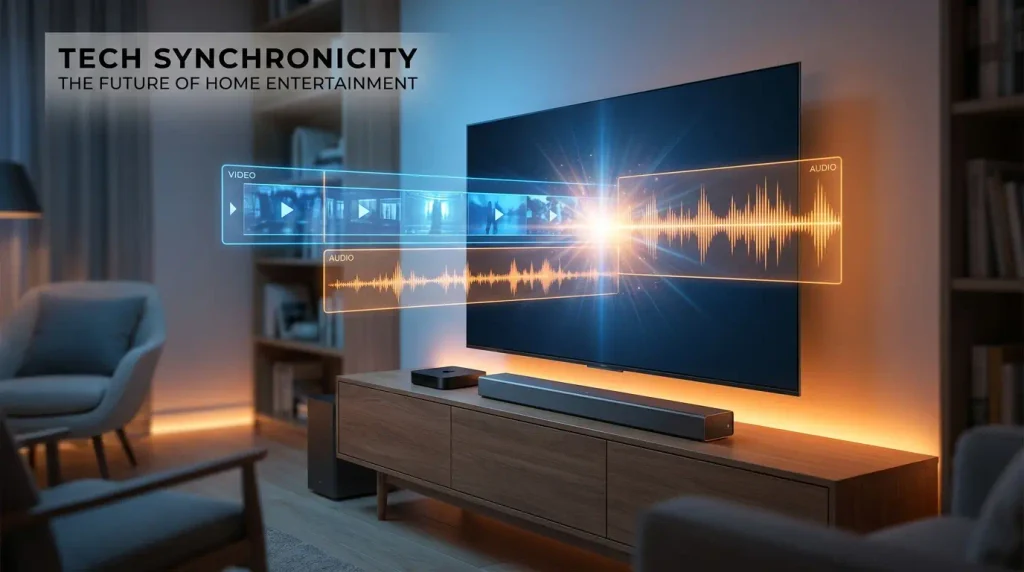
Streaming live television channels online can sometimes create frustrating moments when dialogue fails to match the moving picture. Dealing with poor IPTV audio sync can ruin movie nights and live sports broadcasts instantly. Many viewers experience annoying sound delays that disrupt their overall entertainment experience.
Solving this common technical problem requires a methodical approach to hardware settings and player configurations. You can easily restore perfect harmony between spoken words and visual actions on screen. Fixing IPTV audio sync is simpler than most people think once you understand the underlying causes.
Modern streaming boxes handle heavy media codecs constantly while decoding complex video and audio tracks simultaneously. Small hardware bottlenecks or software mismatches often throw these dual streams out of alignment completely. Maintaining proper IPTV audio sync ensures smooth entertainment without annoying lip movement delays.
This comprehensive technical guide offers systematic troubleshooting methods for correcting sound delay issues on popular devices. Follow these expert recommendations to permanently eliminate persistent IPTV audio sync problems today.
Editorial disclosure: This educational guide supports lawful, licensed streaming.
Readers should verify current app availability, device compatibility, pricing, licensing, and local rules through official sources.
Product and platform names belong to their respective owners. Nothing here is legal advice or permission to access unauthorized content.
Table of Contents
- Understanding IPTV Audio Desync Causes
- Checking Player Audio Delay Settings
- Optimizing Hardware Decoding Options
- Addressing Network Jitter and Bandwidth
- Managing External Speaker and Soundbar Sync
- Preventing Future Playback Discrepancies
- Frequently Asked Questions
- Final Verdict
Understanding IPTV Audio Desync Causes
Audio desync frequently stems from hardware decoding mismatches between video players and display monitors. When your streaming device struggles to process complex broadcast packets, sound often arrives too early. Maintaining robust IPTV audio sync depends heavily on compatible hardware components working smoothly together.
Broadcasters encode video and audio tracks separately before sending them across the global internet infrastructure. Your media player must stitch these incoming streams back together in real time without dropping frames. Minor processing hiccups can immediately break IPTV audio sync during high-traffic live broadcast events.
Television processors often add heavy picture enhancement algorithms that slow down display rendering times significantly. Meanwhile, independent audio systems process sound much faster and create noticeable timing gaps for viewers. Resolving IPTV audio sync requires balancing these processing delays across all connected playback equipment.
Network fluctuations also contribute to sudden timing drift during long viewing sessions on streaming boxes. If data packets arrive out of order, the player must pause or drop audio frames. Stable IPTV audio sync relies on consistent data delivery without unexpected internet speed drops.
Identifying the root cause of your playback problem is always the first critical troubleshooting step. Checking device settings helps you determine whether software or hardware causes the annoying sound lag. Proper IPTV audio sync planning prevents frustrating interruptions during your favorite live television broadcasts.
Checking Player Audio Delay Settings
Adjusting player audio offset settings can manually bridge timing gaps between sound and visuals. Most modern streaming applications include built-in synchronization tools designed to correct minor lip-sync errors. Fine-tuning IPTV audio sync through these menus provides instant relief for frustrated viewers everywhere.
Open your preferred media player settings menu during active video playback to find audio options. Look for specific sliders labeled audio offset or sound delay adjustment in the preferences. Optimizing IPTV audio sync manually lets you dial in exact milliseconds of corrective timing.
Increase the millisecond delay if you notice dialogue playing before mouth movements appear on screen. Conversely, decrease the offset value if the audio track lags behind the moving pictures. Perfecting IPTV audio sync requires patience and careful observation during active dialogue scenes.
Some advanced media players save individual offset configurations for every single live television channel automatically. This feature prevents you from constantly readjusting settings when switching between different broadcast sources. Consistent IPTV audio sync enhances your daily viewing comfort across all available entertainment channels.
Test your manual adjustments by watching news anchors or interview programs where talking is clearly visible. Make small incremental changes until the spoken words match the facial expressions on display. Maintaining reliable IPTV audio sync guarantees an immersive and professional home entertainment viewing experience.
Optimizing Hardware Decoding Options
Hardware decoding configuration plays a massive role in maintaining stable media playback on devices. Switching between software and hardware decoding modes often resolves stubborn sound delay problems instantly. Proper IPTV audio sync depends on efficient processor utilization within your streaming hardware.
Navigate to your media application settings and locate the advanced video decoder configuration menu. If hardware acceleration causes stuttering and lag, try toggling it to software decoding mode. Improving IPTV audio sync through decoder switches reduces processing strain on older streaming boxes.
Certain streaming hardware handles specific audio codecs much better than others during live broadcasts. Disabling unsupported surround sound formats forces your player to output standard stereo sound reliably. Solid IPTV audio sync often follows the elimination of complex multi-channel audio codec conflicts.
Restart your streaming device completely after changing any advanced decoder settings within the application menu. A fresh system reboot ensures that all new driver instructions take effect during active playback. Reliable IPTV audio sync requires clean software initialization every time you power up.
Consult your specific device manufacturer documentation if decoding options remain grayed out or inaccessible. Some budget streaming sticks restrict advanced decoder adjustments to protect low-powered internal system components. Effective IPTV audio sync troubleshooting always respects the physical limitations of your playback hardware.
Addressing Network Jitter and Bandwidth
Network jitter and packet loss can intermittently throw media streams out of synchronization. When internet data packets arrive late, your player struggles to keep sound and video aligned. Stable IPTV audio sync requires a robust and uninterrupted broadband internet connection at home.
Connect your streaming device directly to your home router using an Ethernet cable if possible. Wireless interference from nearby networks often introduces micro-stutters that degrade live video stream performance. Flawless IPTV audio sync benefits greatly from the unwavering stability of wired network connections.
Run regular internet speed tests to ensure your broadband plan delivers adequate bandwidth for streaming. Background downloads on other household devices can quietly steal crucial bandwidth from your media player. Protecting IPTV audio sync means keeping network congestion to an absolute minimum during broadcasts.
Restart both your home internet modem and Wi-Fi router to clear corrupted local cache data. Network hardware refresh cycles often eliminate mysterious packet delivery delays that ruin streaming quality. Consistent IPTV audio sync is much easier to maintain over a freshly rebooted router.
Contact your internet service provider if high latency or packet loss persists across multiple speed tests. Upgrading your service tier may be necessary if your current broadband package is inadequate. Superior IPTV audio sync starts with a fast and reliable foundation of internet connectivity.
Managing External Speaker and Soundbar Sync
External soundbars and Bluetooth speakers frequently introduce audio delay due to wireless transmission processing times. When audio travels through secondary audio receivers, it naturally arrives later than the video track. Maintaining IPTV audio sync becomes challenging when complex home theater speaker systems are involved.
Check your television audio output settings and switch from Bluetooth to a wired HDMI connection. HDMI cables transmit audio much faster than wireless protocols and minimize annoying lip-sync errors. Proper IPTV audio sync relies heavily on efficient physical audio routing configurations.
Access your soundbar menu to find dedicated audio delay calibration or lip-sync correction features. Many modern audio systems allow you to delay the video or sound independently for balance. Effective IPTV audio sync depends on synchronizing external speakers directly with your display screen.
Enable game mode or bypass processing modes on your television to reduce internal video lag. Image enhancement features add milliseconds of display delay that throw off external sound systems. Flawless IPTV audio sync requires streamlining all video processing filters on your main monitor.
Disconnect and reconnect all HDMI cables to ensure secure physical data contact between devices. Loose cable connections can scramble digital audio handshake signals and degrade overall stream synchronization. Solid IPTV audio sync often returns immediately after seating your HDMI cables properly.
Preventing Future Playback Discrepancies
Preventing future playback discrepancies requires routine maintenance and careful management of your streaming software. Keep your media player applications updated to benefit from the latest bug fixes and patches. Long-term IPTV audio sync stability rewards users who maintain clean and updated systems.
Clear application cache files periodically to prevent accumulated junk data from slowing down video rendering. Bloated cache memory forces your streaming device to work harder during live broadcast playback sessions. Seamless IPTV audio sync is much easier to preserve on clean hardware environments.
Avoid running too many background applications simultaneously on resource-constrained streaming media players. Freeing up system RAM ensures that your video decoder receives uninterrupted processing power. Optimal IPTV audio sync demands dedicated hardware resources focused entirely on media playback.
Monitor your equipment temperatures to prevent thermal throttling from slowing down internal system processors. Overheating streaming sticks often drop frames and lose audio synchronization during extended viewing marathons. Uninterrupted IPTV audio sync depends on adequate ventilation around your home entertainment electronics.
Document your optimal player settings once you achieve perfect synchronization on your preferred channels. Having a reliable reference point makes future troubleshooting quick and stress-free for household members. Sustainable IPTV audio sync ensures endless hours of enjoyable and seamless television entertainment.
Frequently Asked Questions
Why does my IPTV audio not match the video?
Audio mismatch usually happens when hardware decoders struggle to process heavy video and sound tracks simultaneously. Minor network hiccups can also throw media streams out of alignment during live broadcasts.
Television display processors often add extra rendering lag that makes sound arrive before the picture. Adjusting player offset settings quickly corrects these annoying timing discrepancies for viewers.
How do I adjust audio delay in my media player?
Open your media player settings menu during active video playback to find audio preferences. Look for specific sliders labeled audio offset or sound delay adjustment to correct timing.
Increase or decrease the millisecond values until spoken dialogue matches the mouth movements on screen. Many advanced players let you save these custom offsets for individual channels.
Can a slow internet connection cause sound delay?
Unstable internet speeds and high packet loss frequently create noticeable audio and video synchronization drift. When data packets arrive late, your player struggles to keep both tracks aligned.
Using a wired Ethernet connection instead of Wi-Fi eliminates wireless jitter and improves performance. Upgrading your broadband bandwidth also prevents network congestion from disrupting live streams.
Do soundbars make audio desync worse on streaming boxes?
External soundbars and Bluetooth speakers often introduce extra audio processing delay during media playback. Wireless connections naturally transmit sound slower than direct wired HDMI cable configurations.
Switching to wired HDMI connections and enabling game mode on your television helps minimize lag. Soundbar settings also offer manual lip-sync calibration tools to fix timing issues.
Final Verdict
Solving playback timing errors requires a balanced approach combining software adjustments and hardware optimizations. Most synchronization problems vanish once you properly configure player audio offsets and decoder settings. Systematic troubleshooting guarantees a frustration-free viewing experience across all your home devices.
Maintaining robust network connections and managing external soundbars prevents recurring timing drift during broadcasts. Taking time to fine-tune your streaming setup pays off with crystal-clear dialogue every day. Diligent maintenance habits protect your entertainment system from unexpected performance degradation over time.
Implementing these expert recommendations ensures your favorite television shows and sports events run without interruption. You no longer need to tolerate annoying voice delays while relaxing in front of the screen. Enjoy your perfectly synchronized media streams with total confidence and peace of mind.
Review your device configurations whenever you upgrade hardware components or install major software updates. Staying proactive keeps your home entertainment center operating at peak efficiency all year long. Proper calibration turns any standard streaming box into a reliable powerhouse of entertainment.