Explore more lawful streaming, device setup, and troubleshooting guidance at Ultimate IPTV Hub.
For authoritative background on copyright and lawful digital content, review the World Intellectual Property Organization copyright resources. For practical online safety guidance, consult CISA Secure Our World.
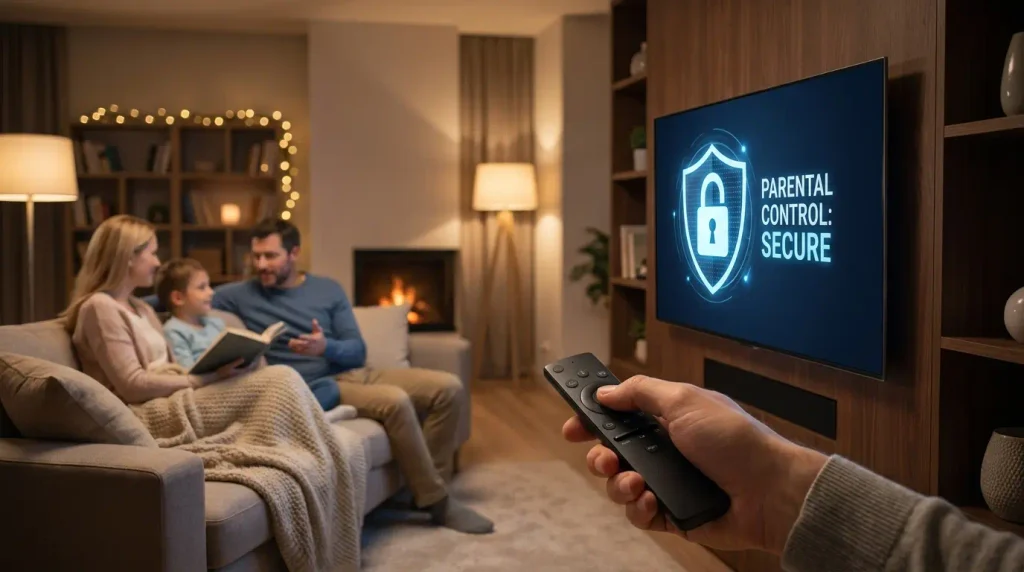
Imagine stepping out of the living room for just one minute, only to return and find your children exposed to mature, unfiltered broadcasts. Modern home entertainment systems offer instant access to thousands of global channels, making this a very real concern for households today. If you are worried about what your younger family members might stumble upon, managing their digital viewing habits requires reliable IPTV parental controls on every streaming device you own.
Taking proactive steps to lock sensitive streams protects your household from inappropriate media and adult programs without any warning. Implementing strong IPTV parental controls gives you complete peace of mind, whether you are in the next room or settling in for late-night viewing hours. Fortunately, most digital players and premium USA IPTV service providers include built-in features designed specifically for restricting unwanted content.
The best part? Configuring these security measures doesn’t require advanced technical skills or expensive software tools. Effective IPTV parental controls rely on secure PIN numbers and strict category filters. Establishing these protective barriers takes only a few minutes of your time today.
Let us explore the exact methods needed to secure your living room displays properly. Proper IPTV parental controls will keep your household streaming environment safe and controlled. Every parent should master these straightforward configuration steps for better peace of mind.
Editorial disclosure: This educational guide supports lawful, licensed streaming. Readers should verify current app availability, device compatibility, pricing, licensing, and local rules through official sources. Product and platform names belong to their respective owners. Nothing here is legal advice or permission to access unauthorized content.
Table of Contents
- Understanding IPTV Parental Control Mechanisms
- Configuring PIN Codes Within Dedicated Apps
- Setting Up Device-Level Restrictions on Smart Players
- Implementing Home Network and Router Filtering
- Best Practices for Managing Multiple User Profiles
- Troubleshooting Common Content Restriction Issues
- Frequently Asked Questions
- Final Verdict
Understanding IPTV Parental Control Mechanisms
Digital broadcast technology relies on streaming playlists to deliver content over the internet. IPTV parental controls function by intercepting unauthorized playback requests before they reach your screen. Understanding these foundational layers helps you build a secure viewing environment for everyone.
Different platforms handle content restriction through unique software architectures and security protocols. Some applications focus on locking individual streams while others block entire genre folders. Reliable IPTV parental controls usually combine application locks with network filtering tools for maximum safety.
Hardware limitations can sometimes restrict the types of security settings available on older devices. Modern smart televisions and dedicated streaming boxes support advanced IPTV parental controls natively. Checking your specific hardware specifications ensures you select the most effective protection methods.
Content ratings act as the primary reference point for automated stream restriction features. When configured correctly, robust IPTV parental controls filter out programming exceeding your chosen threshold. This prevents children from stumbling upon adult movies or graphic news broadcasts accidentally.
Administrative passwords serve as the ultimate gatekeeper for all restricted entertainment channels. Without entering the correct master PIN code, unauthorized users cannot bypass these barriers. Proper IPTV parental controls always prioritize credential protection to prevent curious kids from guessing codes.
Configuring PIN Codes Within Dedicated Apps
Most dedicated media players feature internal settings menus for locking specific channels. To activate IPTV parental controls inside your app, navigate to the main settings panel. Look for security options or content filtering tabs within the general configuration menu.
Creating a robust master PIN is the first crucial step during this process. Avoid using obvious number combinations like your birth year or simple sequential digits. Effective IPTV parental controls demand unpredictable codes to maintain strict household security standards.
Once your password is saved, you can begin selecting individual streams to lock. Many users choose to lock IPTV channels manually by browsing through the electronic guide. This targeted approach leaves children’s programming fully accessible while securing mature networks.
Some advanced applications let you hide locked streams entirely from the main playlist. Hidden channels prevent curious younger viewers from even knowing those specific broadcasts exist. Careful application of IPTV parental controls ensures a clean and family-friendly user interface.
Remember to test your newly configured restrictions immediately after saving the settings. Try switching to a locked broadcast to confirm the PIN prompt appears instantly. Testing validates that your chosen IPTV parental controls are working exactly as intended.
Setting Up Device-Level Restrictions on Smart Players
Operating systems on modern streaming boxes offer broader security controls than individual apps. You can easily manage IPTV parental controls directly from the master device settings menu. This prevents unauthorized users from simply downloading alternative apps to bypass security.
Navigate to your streaming device settings and locate the restrictions or privacy section. You will typically be asked to create a secondary system-wide administrator passcode. Proper IPTV parental controls at the device level protect all installed applications simultaneously.
Restrict new application installations to prevent kids from adding unregulated streaming software. This stops bypass attempts before they even begin on your living room hardware. Combining device locks with IPTV parental controls creates a truly impenetrable home media fortress.
You can also set purchase restrictions to prevent accidental spending on video rentals. Many smart platforms require a PIN before completing any digital transaction or subscription. Comprehensive IPTV parental controls should always encompass financial security alongside content filtering.
Review your device security settings periodically to ensure updates haven’t reset your configurations. Firmware upgrades occasionally modify default user permissions across popular streaming hardware brands. Maintaining active IPTV parental controls requires ongoing vigilance and occasional system checks.
Implementing Home Network and Router Filtering
Securing individual apps and devices is vital, but network-level protection offers broader coverage. Modern internet routers often include built-in firewall rules and DNS content filtering capabilities. Integrating network defenses alongside standard IPTV parental controls stops inappropriate traffic entirely.
Access your router administration dashboard using a web browser on your computer. Look for parental control options or custom DNS server configuration settings inside the panel. Applying secure DNS providers helps block malicious or adult domains across your entire home network.
You can assign specific streaming devices to restricted guest network profiles easily. This isolates television hardware from your personal computers and sensitive home data storage. Robust IPTV parental controls benefit greatly from clean network segmentation and firewall rules.
Monitor your router traffic logs occasionally to identify any unusual streaming connection patterns. Advanced home administrators use these logs to verify their security policies are functioning. Effective IPTV parental controls rely on multiple overlapping layers of digital defense.
Consider enabling scheduled internet access cutoffs for specific smart televisions in bedrooms. Restricting late-night streaming encourages healthy sleep habits for younger members of your household. Pairing hardware timers with IPTV parental controls delivers complete household media management.
Best Practices for Managing Multiple User Profiles
Shared household televisions require organized user profiles to keep viewing experiences separate. Setting up dedicated profiles simplifies managing IPTV parental controls for different age groups. Adults get full access while children see only pre-approved educational programming.
Always assign a strong password to the main administrator profile on your system. Never share your master PIN with children who might accidentally disable restrictions. Proper IPTV parental controls depend entirely on keeping administrative credentials strictly confidential.
Create a restricted child profile with limited permissions and pre-selected favorite channels. This eliminates the need to manually lock hundreds of individual adult broadcasts daily. Smart IPTV parental controls utilize profile segregation to save time for busy parents.
Educate older children about digital safety and the reasons behind household content restrictions. Explaining house rules fosters trust and reduces the temptation to bypass security settings. Combining technical IPTV parental controls with open communication builds healthy viewing habits.
Audit your user profiles and active passwords at least twice every year. Remove unused profiles and update your master PIN codes to maintain optimal security. Consistent maintenance ensures your chosen IPTV parental controls remain effective over time.
Troubleshooting Common Content Restriction Issues
Technical glitches can occasionally cause your content locks to malfunction or stop responding. If your IPTV parental controls fail suddenly, restart your streaming device immediately. A simple power cycle often clears temporary cache errors affecting security features.
Forgotten administrator PINs represent the most frequent hurdle for home network administrators. Most applications provide a recovery option through your registered primary email address. Reliable IPTV parental controls always require a secure backup recovery method during setup.
Software updates can sometimes reset your customized channel locks back to factory defaults. Always check your restriction settings after installing major application or firmware upgrades. Maintaining strict IPTV parental controls requires vigilance following automated background software updates.
If specific channels refuse to lock, verify your playlist source is updating correctly. Outdated Electronic Program Guide data can display incorrect category tags for live broadcasts. Proper IPTV parental controls need accurate metadata to restrict mature streams successfully.
Reach out to official app support forums if stubborn technical bugs persist persistently. Experienced community members often share quick workarounds for software-specific restriction failures. Effective IPTV parental controls are easiest to maintain when using stable applications.
Frequently Asked Questions
How do I reset my parental control PIN if I forget it?
Most applications provide a password recovery link sent directly to your email address. If recovery fails, you may need to reinstall the app and restore settings.
Always keep your master administrative credentials stored in a safe physical location at home. This prevents permanent lockout issues during routine device maintenance sessions.
Can I lock specific categories instead of entire channels?
Yes, many advanced media players let you restrict entire genre folders with one PIN. This is much faster than locking individual streams one by one.
Check your player’s security menu for genre-based filtering options during initial setup. Categorized locking ensures comprehensive protection with minimal ongoing effort.
Do network-level filters affect streaming speed?
Quality DNS filtering and router firewalls introduce virtually zero noticeable latency to connections. Your video streams will continue playing smoothly in high definition.
Choose reputable router hardware and optimized DNS providers to maintain maximum bandwidth speeds. Network security should never compromise your everyday entertainment viewing experience.
Are third-party players more secure for family viewing?
Dedicated third-party media players often feature much deeper customization options for locks. They typically offer robust PIN protection compared to standard stock television apps.
Evaluate different software options based on their security features before committing long-term. A secure player makes household content management significantly easier for parents.
Final Verdict
Securing your home streaming environment is an essential responsibility for modern digital households. Implementing robust content locks ensures younger family members enjoy safe media consumption daily. Taking time to configure these tools properly prevents accidental exposure to mature programming.
A balanced security strategy combines application PINs, device restrictions, and network filtering rules. No single layer provides complete protection, so overlapping defenses are always recommended. Regular maintenance keeps your security configurations resilient against clever bypass attempts.
Open communication with older children fosters trust and reinforces responsible viewing habits at home. Technology alone works best when paired with clear household media rules and guidance. Your living room entertainment should remain fun, educational, and completely safe.
Start securing your streaming hardware today using the step-by-step instructions outlined above. Enjoy peace of mind knowing your family entertainment setup is fully protected. A safer digital home environment is well worth the initial setup effort.