Best IPTV Player App Guide (2026): Top M3U Players, Setup & Downloader Codes
Welcome to the Ultimate IPTV Hub technical guide. Finding the right IPTV player app is a fundamental step toward building a smooth, stable, and responsive home entertainment system. An IPTV player acts as the primary bridge between your streaming playlist and your screen, managing decoding, EPG rendering, and subtitle tracks.
⚡ Quick Overview: A standalone IPTV player app does not contain pre-loaded live TV. It is an empty media client used to process your legally acquired playlists. Most premium players offer a 7-day free trial, with activation typically priced at $6 for 12 months.
Looking for a stable playlist? Explore our Best IPTV Services. 💡 Activation Support: Add a player license directly to your subscription for $6, and we will handle the configuration for you!
This guide is for educational purposes. Always use legal, licensed playlists. Only download APK files from official developer endpoints. Never install modified or “cracked” versions. We do not host or distribute unlicensed media streams.
What Is an IPTV Player App and How Does It Work?
Many newcomers confuse an IPTV player app with an IPTV subscription provider. When you open a player, it waits for a data source, usually delivered via:
- M3U / M3U8 URLs: Plain-text playlist files containing direct web links to video streams.
- Xtream API Login: A structured connection requiring a Server URL, Username, and Password for faster EPG and VOD loading.
- MAC Address Portal: A remote provisioning system linking your TV’s virtual MAC address via a web portal.
IPTV Player App vs. IPTV Service Provider
| Feature / Dimension | IPTV Player App | IPTV Service Provider |
|---|---|---|
| Primary Function | Software interface, decoding, UI navigation | Server infrastructure delivering live data |
| Content Included | None (Requires user-supplied playlists) | Live TV, sports, VOD libraries |
| Typical Pricing | ~$6 for 12 months (or one-time fee) | Recurring monthly/annual subscription |
| Installation Method | App Store, Google Play, or Downloader code | M3U link, Xtream API credentials, or MAC |
Top IPTV Player App Downloader Codes & Direct Links (2026)
For Fire TV and Android TV users, sideloading via Downloader remains the standard installation method. Use the codes below, or download the APK directly using the provided links.
| Application Name | Downloader Code & APK | Key Capabilities | License Cost |
|---|---|---|---|
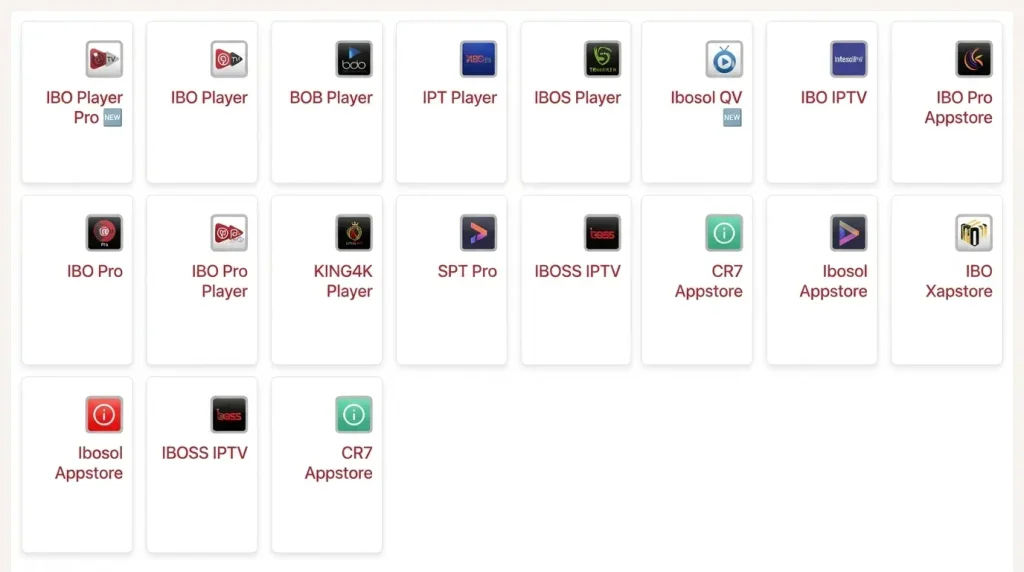
| IBO Player Pro 🆕 | 923441Direct APK Link | Modern UI, fast EPG parsing | ~$6 / 12 Months |
| IBO Player | 1171959Direct APK Link | Classic lightweight footprint | ~$6 / 12 Months |
| BOB Player | 815778Direct APK Link | Advanced video buffer management | ~$6 / 12 Months |
| KING4K Player | 862414Direct APK Link | Hardware acceleration for 4K UHD | ~$6 / 12 Months |
| IBO Pro Player | 6402995Direct APK Link | Custom remote mappings, multi-language | ~$6 / 12 Months |
| IBO Pro | 474637Direct APK Link | Optimized low memory footprint | ~$6 / 12 Months |
| IBOSS IPTV | 967528Direct APK Link | Parental controls, robust subtitle sync | ~$6 / 12 Months |
| IBO XPlayer | 7947185Direct APK Link | Low latency stream tuning, sleek interface | ~$6 / 12 Months |
| CR7 Appstore 🆕 | Visit CR7 Appstore (cr7.al) | Check currently published Panel apps | Varies |
| Ibosol Appstore 🆕 | Visit Ibosol Appstore (ibo.al) | Check currently published Panel apps | Varies |
Detailed Breakdown: Top IPTV Player App Solutions
1. IBO Player Pro & The IBO Series
The IBO software family remains among the most versatile options. Instead of typing long URLs on a TV remote, users manage multiple M3U links instantly via their desktop browser using the device MAC address.
Multi-Platform Support
LG webOS, Samsung Tizen, Android TV, Fire OS
Cloud Sync
Manage playlists remotely from any browser
EPG Caching
Instant loading for massive TV guides
⚖️ Quick Comparison: Which Player Should You Choose?
| Your Streaming Device | Recommended Player | Why? |
|---|---|---|
| 🔥 Fire TV Stick Lite / Older Gen | BOB Player / IBO Pro | Low memory footprint, prevents UI freezing |
| 🎮 Nvidia Shield / Fire TV Cube | KING4K Player | Robust 4K HEVC hardware acceleration |
| 📺 Samsung/LG Smart TV | IBO Player Pro | Seamless web-based MAC playlist management |
How to Install Any IPTV Player App via Downloader
Follow these standardized visual steps to safely sideload any application onto your Firestick or Android streaming box:
Enable Developer Options
Navigate to Settings > My Fire TV > About. Click your device name 7 times to unlock Developer Mode.
⏱️ 15 secondsAllow Unknown Apps
Go to Developer Options > Install unknown apps and toggle it ON for the official Downloader utility.
⏱️ 10 secondsEnter Code & Install
Open Downloader, input the numeric code (e.g., 923441), click Go, and hit Install when prompted.
Hardware vs. Software Decoders
Misconfiguring your video decoder is a leading cause of stuttering inside your IPTV player app, often leading to audio desynchronization and device overheating.
- Hardware Decoder (HW / HW+): Assigns video decompression to the specialized graphics unit. Highly recommended for H.264, H.265 (HEVC), and 4K streams to maintain fluid playback.
- Software Decoder (SW): Forces the general CPU to render frames. Use this only as a fallback if you encounter visual artifacts under hardware mode.
🎯 Ready to Get Started?
Need a reliable, high-speed IPTV service to pair with your new player?
💡 Special Offer: Add a 12-month player license ($6/year) to any subscription, and our team will handle the full setup!
Frequently Asked Questions (FAQ)
What is an IPTV player app?
An IPTV player app is a media player interface designed to read, parse, and render M3U playlists and Xtream API streams. It provides the visual guide but contains no pre-installed media content.
How much does a premium IPTV player app cost?
Most leading applications provide a 7-day complimentary trial. After that, device activation is priced at approximately $6 for a 12-month license.
Can I use one activation across multiple televisions?
No. Activation fees are tied to the unique hardware MAC address of a single physical device. Each device requires its own activation.
Are Downloader codes safe to use?
Yes, provided the code redirects directly to the official developer’s APK file. Avoid cracked or heavily modified application versions to maintain security.