Best IPTV Service Providers can help viewers watch live television, sports, movies, series, news, and international programming through an internet connection instead of a traditional cable or satellite box. However, choosing a reliable IPTV subscription in 2026 requires more than comparing channel-count claims. Device compatibility, streaming stability, customer support, legal transparency, picture quality, and payment protection all matter.
This guide compares 23 popular internet television and streaming options, including paid live-TV services, free IPTV-style platforms, sports subscriptions, and on-demand services. It also explains how to choose the Best IPTV 2026 option for Firestick, Smart TV, Android TV, Apple TV, mobile devices, and desktop computers.
Disclosure: Ultimate IPTV Hub is our own brand and is included in this comparison. Third-party features, prices, trials, and regional availability can change. Always confirm the latest information on the provider’s official website before subscribing. IPTV technology is legal, but users must only access content they are authorized to watch. Read our IPTV legal and responsible-use guide before choosing a service.
Table of Contents
Best IPTV Service Providers: Quick Comparison
| # | Provider | Best For | Live TV | 4K Availability | Free Option or Trial |
|---|---|---|---|---|---|
| 1 | Ultimate IPTV Hub | Guided setup and flexible plans | Available categories | Where available | Ask support about testing |
| 2 | YouTube TV | US cable replacement | Yes | Selected content/add-on | Promotions vary |
| 3 | Hulu + Live TV | Live TV and streaming bundle | Yes | Selected on-demand content | Offers vary |
| 4 | Sling TV | Customizable channel packages | Yes | Limited/selected | Promotions vary |
| 5 | Fubo | Sports-focused households | Yes | Selected events/content | Trial availability varies |
| 6 | DIRECTV STREAM | Traditional channel experience | Yes | Selected content | Promotions vary |
| 7 | Philo | Affordable entertainment channels | Yes | Limited | Trial may be offered |
| 8 | Frndly TV | Family-friendly live channels | Yes | Plan dependent | Trial may be offered |
| 9 | Pluto TV | Free live IPTV-style channels | Yes | Limited | Free |
| 10 | Tubi | Free movies and series | Limited live sections | Limited | Free |
| 11 | Plex | Free TV and personal media | Yes | Device/content dependent | Free tier |
| 12 | Xumo Play | Simple free live streaming | Yes | Limited | Free |
| 13 | Peacock | NBCUniversal entertainment | Selected channels/events | Selected content | Plan dependent |
| 14 | Paramount+ | CBS content and selected sports | Plan/region dependent | Selected content | Trial/promotions vary |
| 15 | ESPN+ | Supplementary sports streaming | Live sports | Event dependent | Usually paid |
| 16 | DAZN | Boxing and regional sports | Live sports | Event/device dependent | Region dependent |
| 17 | Prime Video | Movies, series, rentals and channels | Selected events/channels | Yes, selected titles | Trial varies |
| 18 | Netflix | Original movies and series | No traditional live TV | Premium plan/content | Usually paid |
| 19 | Disney+ | Family and franchise content | Selected regions/features | Selected titles | Offers vary |
| 20 | Max | Premium series and movies | Selected sports/live content | Plan/content dependent | Offers vary |
| 21 | Apple TV+ | Curated original programming | Selected sports/events | Many supported titles | Trial/promotions vary |
| 22 | Crunchyroll | Anime streaming | Special events only | Content dependent | Free/paid options vary |
| 23 | BritBox | British television | Limited/selected | Content dependent | Trial/promotions vary |
Quick recommendation: Choose Ultimate IPTV Hub when you want guided device setup and flexible plan durations. Choose YouTube TV, Hulu + Live TV, Sling TV, Fubo, or DIRECTV STREAM when you want a licensed US live-TV replacement. Choose Pluto TV, Tubi, Plex, or Xumo Play when you want a free and legal IPTV-style experience.
How We Compared the Best IPTV Service Providers
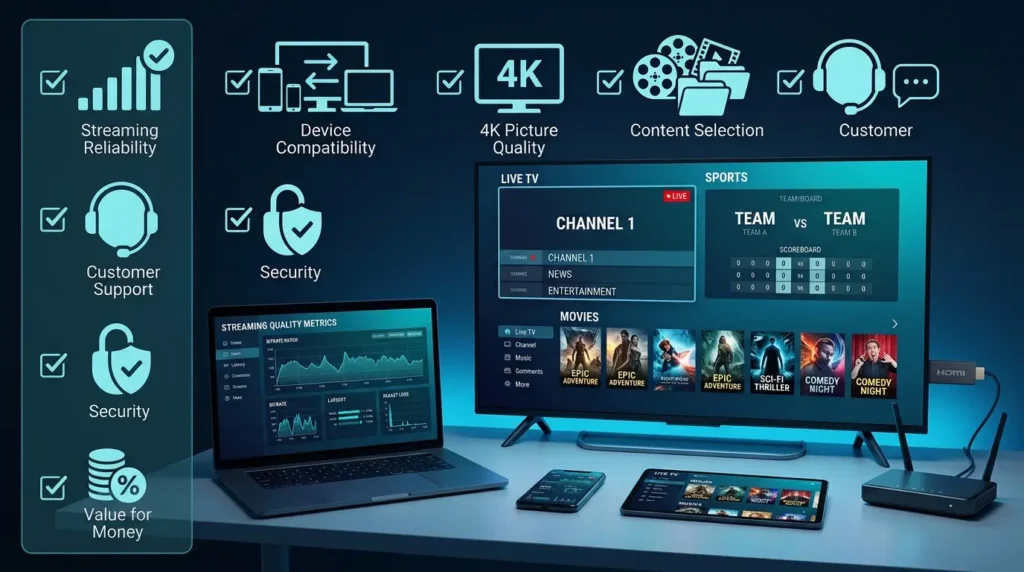
Our ranking framework focuses on the factors that matter most during everyday streaming. We reviewed publicly available service information, device support, app compatibility, plan flexibility, live-TV availability, on-demand options, customer-help resources, and responsible-use transparency.
1. Streaming Reliability
A reliable IPTV service should load quickly, maintain stable playback, and recover smoothly when internet conditions change. No provider can guarantee zero buffering because performance also depends on Wi-Fi strength, internet speed, device power, app settings, and local network congestion.
2. Device Compatibility
We prioritized services that support popular devices such as Amazon Firestick, Android TV, Google TV, Apple TV, Samsung and LG Smart TVs, iPhone, iPad, Android phones, Windows, and Mac. For setup help, use our IPTV installation guide.
3. Picture Quality
Good services offer HD or Full HD playback, while the strongest 4K IPTV options provide selected Ultra HD content on compatible devices and plans. A 4K label does not mean every channel, movie, or event is available in 4K.
4. Content Relevance
Large channel numbers can be misleading. A smaller, licensed lineup with the channels you actually watch can be more valuable than a huge list filled with duplicates or inactive streams. Review our guide to IPTV channel categories before choosing a plan.
5. Support and Transparency
Reliable IPTV providers should explain device requirements, billing terms, cancellation rules, trial conditions, privacy practices, and support options. Avoid services that hide their identity, demand unprotected payments, or promise unrealistic access to every premium channel worldwide.
23 Best IPTV Service Providers in 2026
1. Ultimate IPTV Hub — Best Overall for Guided IPTV Setup
Ultimate IPTV Hub is designed for users who want a simple IPTV subscription path, device compatibility help, setup guidance, and flexible plan durations. The service supports popular streaming environments such as Firestick, Smart TV, Android, iOS, Windows, Mac, and compatible IPTV player apps.
Current published plans include one-month, three-month, six-month, and twelve-month options. This makes the service useful for customers who prefer starting with a shorter commitment before moving to a longer subscription. HD, Full HD, and 4K categories may be available depending on the selected content, device, app, region, and server conditions.
- Best for: Beginners who want setup assistance.
- Key strengths: Flexible plan durations, device guidance, support access, and international viewing categories.
- Consider before buying: Confirm the exact categories, number of connections, app format, and trial conditions with support.
Contact Ultimate IPTV Hub support with your device model, preferred app, internet speed, country, and number of screens before ordering.
2. YouTube TV — Best IPTV-Style Cable Replacement in the USA
YouTube TV is a strong choice for viewers who want a familiar live-TV experience without a traditional cable box. It combines live channels, cloud DVR, profiles, recommendations, and broad device support within a clean interface.
The service is especially suitable for households that want local stations, news, entertainment, and sports in one subscription. Channel availability and add-ons vary by location, so prospective subscribers should enter their ZIP code and review the current lineup before paying.
- Best for: US households replacing cable.
- Key strengths: Easy interface, cloud DVR, strong device support, and household profiles.
- Consider before buying: The monthly cost can increase with premium add-ons and optional 4K features.
3. Hulu + Live TV — Best Live TV and On-Demand Bundle
Hulu + Live TV combines a live channel package with Hulu’s on-demand library. Depending on the current bundle structure, subscribers may also receive access to related streaming services. This makes it attractive for households that want live television and a deep catalog of series, films, and original programming.
The interface is content-rich, but users should compare the channel list and simultaneous-stream rules before subscribing. Sports availability, local channels, and premium add-ons can vary by region.
- Best for: Viewers who want live TV and on-demand entertainment together.
- Key strengths: Broad content bundle, cloud DVR, and multi-device support.
- Consider before buying: Pricing and advertisements depend on the selected plan and add-ons.
4. Sling TV — Best Customizable IPTV Subscription
Sling TV is known for flexible base packages and optional extras. Instead of forcing every customer into one large channel bundle, Sling allows viewers to choose a package and add genre-based extras when needed.
This approach can be cost-effective for users who know exactly which channels they want. However, local channel availability is not identical in every market, and some households may need an antenna or another service for complete local coverage.
- Best for: Budget-conscious users who want package flexibility.
- Key strengths: Customizable plans, broad device compatibility, and sports/entertainment add-ons.
- Consider before buying: Check local channels and simultaneous-stream limits carefully.
5. Fubo — Best IPTV Service for Sports-Focused Homes
Fubo is one of the best-known live streaming services for sports-oriented households. It combines sports networks with general entertainment, news, local channels, cloud DVR, and multi-device access.
It is a strong option for football, basketball, baseball, hockey, and international sports fans, although exact rights and channel availability change by country and package. Sports-focused add-ons can raise the total monthly price.
- Best for: Households that prioritize live sports.
- Key strengths: Sports coverage, live TV interface, cloud DVR, and supported devices.
- Consider before buying: Regional sports fees and add-ons may affect the final cost.
Football fans can also read our World Cup IPTV 2026 guide for device and responsible-viewing tips.
6. DIRECTV STREAM — Best Traditional Live-TV Experience
DIRECTV STREAM is designed for users who want an internet-based service that still feels close to a premium cable or satellite package. It offers multiple channel tiers, local stations in supported markets, premium-network options, and broad device compatibility.
The service is useful for viewers who value a familiar channel guide and a large traditional lineup. However, higher packages can become expensive, so compare the exact channels in each tier before subscribing.
- Best for: Viewers who want a cable-like interface and lineup.
- Key strengths: Traditional channel selection, cloud DVR, and premium options.
- Consider before buying: Higher tiers can cost significantly more than budget alternatives.
7. Philo — Best Affordable Entertainment IPTV Option
Philo focuses mainly on entertainment, lifestyle, and general-interest channels. By excluding many expensive sports and local-broadcast networks, it can offer a lower monthly price than full cable-replacement services.
It is a good match for viewers who watch reality TV, documentaries, lifestyle programming, and entertainment channels but do not need a large sports lineup. Users should verify the latest channel list before subscribing.
- Best for: Low-cost entertainment streaming.
- Key strengths: Simple pricing, cloud DVR, and popular entertainment channels.
- Consider before buying: Limited sports, local news, and broadcast-network coverage.
8. Frndly TV — Best Family-Friendly Live TV Service
Frndly TV is a focused live-TV service built around family, lifestyle, weather, and classic entertainment channels. Its smaller lineup and straightforward plans make it easier to understand than many large bundles.
The service can work well for households that want a modest selection without paying for sports-heavy packages. Video quality, DVR retention, and simultaneous streams depend on the chosen plan.
- Best for: Families and viewers who want a simple channel package.
- Key strengths: Affordable tiers, easy navigation, and family-oriented content.
- Consider before buying: It is not a complete cable replacement for sports or local channels.
9. Pluto TV — Best Free IPTV Service for Live Channels
Pluto TV provides free, ad-supported live channels and on-demand content. It is one of the easiest legal IPTV-style services to try because users can begin watching without a traditional paid subscription.
The channel guide includes themed streams for movies, news, entertainment, reality TV, documentaries, and selected sports-related content. The experience is supported by advertisements, and the lineup differs from a conventional cable package.
- Best for: Free live channel browsing.
- Key strengths: No monthly fee, simple interface, and wide device support.
- Consider before using: Ads are included, and users cannot choose every program on a live channel.
10. Tubi — Best Free IPTV-Style Service for Movies
Tubi is a free, ad-supported platform with a large on-demand catalog of films, series, documentaries, and family content. In some regions, it also provides live channel sections.
It is a useful option for budget-conscious viewers who prefer on-demand entertainment over traditional live TV. Content rotates according to licensing agreements, so specific titles may appear or disappear over time.
- Best for: Free movies and series.
- Key strengths: Large free library, official apps, and no paid subscription requirement.
- Consider before using: Advertising is included and availability varies by country.
11. Plex — Best for Free Live TV and Personal Media
Plex combines free ad-supported live channels and on-demand content with personal media organization. Advanced users can also use Plex Media Server to organize their own legally obtained media collection.
This makes Plex more flexible than a standard streaming app. It is suitable for users who want free channels, movies, series, and personal media access in one ecosystem.
- Best for: Viewers who want streaming plus personal media management.
- Key strengths: Free tier, live channels, cross-device syncing, and media-server features.
- Consider before using: Personal server setup requires more technical knowledge.
12. Xumo Play — Best Simple Free Live-TV App
Xumo Play offers free, ad-supported live channels and on-demand entertainment through a straightforward interface. It is useful for viewers who want to open an app and start browsing without configuring playlists or paying a monthly fee.
The service covers general entertainment, news, movies, lifestyle content, and themed channels. Availability and content vary by device and region.
- Best for: Beginners who want uncomplicated free streaming.
- Key strengths: Free access, easy navigation, and live-channel guide.
- Consider before using: Ads are included and the channel lineup is curated.
13. Peacock — Best for NBCUniversal Content
Peacock combines on-demand movies, series, originals, selected live channels, news-related programming, and sports content. The exact mix depends on the current plan and region.
It is a strong supplementary subscription for viewers who enjoy NBCUniversal programming. However, it does not replace a full live-TV package for every household.
- Best for: NBC, Bravo, Universal, and selected sports fans.
- Key strengths: Recognizable catalog, originals, and supported devices.
- Consider before buying: Ads and live-content access vary by plan.
14. Paramount+ — Best for CBS Content and Selected Sports
Paramount+ offers movies, series, originals, CBS programming, and selected live sports. Some plans or regions may include a local CBS station or additional premium content.
The service works best as an on-demand subscription with selected live features rather than a complete cable replacement. Sports rights, local availability, and plan benefits change over time.
- Best for: CBS viewers, franchise fans, and selected sports audiences.
- Key strengths: Originals, movie library, live sports, and broad app support.
- Consider before buying: Local station access and advertisements depend on the plan.
15. ESPN+ — Best Supplementary Sports IPTV Subscription
ESPN+ provides live and on-demand sports, original programs, documentaries, analysis, and selected leagues or events. It is important to understand that ESPN+ is not identical to the traditional ESPN cable channels.
This service is best used as a sports supplement. Fans should review the current event schedule and blackout rules before subscribing because rights vary by league, location, and season.
- Best for: Sports fans who want additional events and analysis.
- Key strengths: Live events, replays, documentaries, and sports originals.
- Consider before buying: It may not include the main ESPN cable networks.
16. DAZN — Best for Boxing and Regional Sports
DAZN is a sports streaming service with a strong reputation in boxing and combat sports, plus other leagues and events depending on the subscriber’s country. The catalog is highly regional because broadcasting rights differ worldwide.
Before subscribing, viewers should check the current schedule for their country rather than assuming every event is available everywhere.
- Best for: Boxing, combat sports, and selected regional leagues.
- Key strengths: Live events, replays, sports documentaries, and multiple devices.
- Consider before buying: Event rights and pricing vary significantly by country.
17. Amazon Prime Video — Best All-Around On-Demand Platform
Prime Video combines a large on-demand catalog with rentals, purchases, optional channel subscriptions, and selected live events. Many users receive Prime Video as part of an Amazon Prime membership, although availability and benefits differ by market.
Its 4K support, device compatibility, and add-on channel system make it flexible, but costs can increase when multiple premium channels are added.
- Best for: Viewers who want movies, series, rentals, and optional channels.
- Key strengths: 4K titles, broad device support, originals, and flexible add-ons.
- Consider before buying: Not every title is included with the base subscription.
18. Netflix — Best for Original Movies and Series
Netflix is primarily an on-demand service rather than a live IPTV provider. It remains a leading option for original series, films, documentaries, international programming, and personalized recommendations.
Supported picture quality and simultaneous streams depend on the selected plan. A compatible 4K device and sufficient internet speed are required for Ultra HD playback.
- Best for: Binge-watchers and fans of global original content.
- Key strengths: Strong recommendation system, large original catalog, and broad device support.
- Consider before buying: No traditional live channel package.
19. Disney+ — Best for Families and Major Franchises
Disney+ focuses on family entertainment and major franchises, including Disney, Pixar, Marvel, Star Wars, and National Geographic content. Regional catalogs and bundled services vary.
It is a strong option for families and franchise fans, with selected titles available in high-quality formats on compatible devices.
- Best for: Families, animation fans, and franchise audiences.
- Key strengths: Recognizable brands, parental controls, downloads, and supported devices.
- Consider before buying: Live-TV functionality is limited and region dependent.
20. Max — Best for Premium Series and Movies
Max offers premium series, films, documentaries, originals, and selected sports or live programming depending on the plan and market. It is particularly strong for prestige television and major studio releases.
Picture quality, downloads, simultaneous streams, and sports access can vary by subscription tier.
- Best for: Premium drama, films, documentaries, and selected sports.
- Key strengths: High-quality catalog, recognizable franchises, and broad device support.
- Consider before buying: 4K and ad-free features may require a higher plan.
21. Apple TV+ — Best for Curated Original Programming
Apple TV+ has a smaller catalog than some competitors, but it focuses heavily on original series, films, documentaries, and selected sports programming. Many titles support high-quality video and audio on compatible devices.
The service is a strong choice for viewers who prefer a curated library rather than an enormous rotating catalog.
- Best for: Premium original series and films.
- Key strengths: Consistent production quality, 4K support, and family sharing options.
- Consider before buying: Smaller overall library and limited traditional live TV.
22. Crunchyroll — Best IPTV-Style Service for Anime
Crunchyroll specializes in anime series, films, simulcasts, and related entertainment. It offers a focused experience for anime fans rather than a general live-TV package.
Plan benefits may include ad-free viewing, offline downloads, multiple streams, and access to new episodes shortly after their original broadcast.
- Best for: Anime fans and simulcast viewers.
- Key strengths: Large specialist catalog, new episode releases, and multiple device apps.
- Consider before buying: Dubs, subtitles, and titles vary by region.
23. BritBox — Best for British Television
BritBox focuses on British dramas, comedies, mysteries, classics, soaps, and selected current programming. It is a niche subscription rather than a broad IPTV replacement.
The service is useful for viewers who want a concentrated British catalog without searching across several general streaming platforms.
- Best for: Fans of British television.
- Key strengths: Specialist library, classic programs, and easy app access.
- Consider before buying: Availability and catalog depth vary by country.
Best IPTV for Firestick in 2026
The Best IPTV for Firestick depends on whether you want a licensed live-TV service, a free streaming app, or a player for an authorized playlist. Firestick works well with many official services because it is affordable, portable, and easy to connect to most modern televisions.
For a cable-replacement experience, consider YouTube TV, Hulu + Live TV, Sling TV, Fubo, or DIRECTV STREAM where available. For free options, try Pluto TV, Tubi, Plex, or Xumo Play. For an authorized playlist or subscription, review our Best IPTV Players 2026 guide and choose an app compatible with your login format.
Firestick Setup Tips
- Use the official Amazon Appstore whenever possible.
- Keep Fire OS and your streaming apps updated.
- Use 5 GHz Wi-Fi or Ethernet for better stability.
- Close unused background apps before live events.
- Only install apps and playlists from trusted, authorized sources.
Best 4K IPTV: What to Check Before Subscribing
A 4K IPTV label does not guarantee that every stream is Ultra HD. True 4K availability depends on the original source, broadcasting rights, plan level, device, app, display, HDMI standard, internet speed, and server capacity.
4K IPTV Checklist
- A compatible 4K television or monitor.
- A 4K-capable Firestick, Apple TV, Android TV box, or Smart TV app.
- A stable internet connection with enough available bandwidth.
- A plan that specifically includes selected 4K content.
- Correct display and app settings.
- An HDMI cable and port that support the required resolution and frame rate.
For reliable playback, do not choose a provider based only on the words “8K,” “anti-freeze,” or “99.9% uptime.” Ask for a short test when available and evaluate the service during the same evening hours when you normally watch.
How to Choose a Reliable IPTV Subscription
Check Content Availability
Write down the live channels, languages, sports, movies, series, and regional categories you actually need. Ask the provider to confirm availability before payment. No legitimate provider should guarantee every title or event forever because licensing and schedules change.
Start with a Short Plan
A one-month plan or legitimate free trial is safer than paying for a year before checking device compatibility and streaming quality. Test on your own internet connection and primary device.
Review the Refund Policy
Read the refund, cancellation, renewal, and trial conditions. Save the order confirmation and support conversation. Be cautious when a seller accepts only irreversible payment methods.
Compare Connections
One connection usually means one simultaneous stream. Logging into several devices does not always mean you can watch on them at the same time. Choose enough connections for your household.
Evaluate Support
Contact support before buying. A clear response about device setup, compatible apps, plan terms, and availability is a positive signal. Vague answers and pressure to pay immediately are warning signs.
What Internet Speed Do You Need for IPTV?
| Streaming Quality | Suggested Minimum Available Speed | Recommended for Stability |
|---|---|---|
| SD | 3–5 Mbps | 8 Mbps or more |
| HD 720p | 5–10 Mbps | 15 Mbps or more |
| Full HD 1080p | 10–15 Mbps | 25 Mbps or more |
| 4K Ultra HD | 25 Mbps | 50 Mbps or more |
| Two or three simultaneous streams | 50 Mbps | 100 Mbps or more |
These figures represent available bandwidth, not only the advertised speed of your internet plan. Other users, cloud backups, gaming, weak Wi-Fi, VPN routing, and distance from the router can reduce the bandwidth available to your streaming device.
How to Reduce IPTV Buffering
- Restart the router, device, and streaming app.
- Test the connection on the same device you use for streaming.
- Move closer to the router or use Ethernet.
- Switch from crowded 2.4 GHz Wi-Fi to 5 GHz when appropriate.
- Close downloads, cloud backups, and unused apps.
- Lower the stream quality temporarily.
- Update the player and device software.
- Contact the provider with the channel name, time, device, app, and error details.
Are IPTV Service Providers Legal and Safe?
IPTV is a technology for delivering television over internet protocol networks. The technology itself is legal. The legal question is whether a provider has permission to distribute the content it sells and whether the viewer is authorized to access it.
Use services with transparent terms, official apps, clear company information, secure checkout, and realistic content claims. Avoid unknown apps that promise every premium channel, movie, and live event for an implausibly low fee.
For additional guidance, review the Federal Trade Commission consumer resources, CISA Secure Our World cybersecurity guidance, and U.S. Copyright Office information.
IPTV Safety Checklist
- Download apps from official app stores or verified developer websites.
- Use a unique password and enable account security features when available.
- Never send passwords, payment-card photos, or identity documents through informal chats.
- Review automatic-renewal terms before paying.
- Only use content sources you are legally authorized to access.
- Keep Firestick, Android TV, Smart TV, phone, and computer software updated.
Best IPTV Service Providers FAQ
What are the Best IPTV Service Providers in 2026?
The best option depends on your country, budget, device, and content needs. Ultimate IPTV Hub is suitable for users who want guided setup and flexible plan durations. YouTube TV, Hulu + Live TV, Sling TV, Fubo, and DIRECTV STREAM are strong licensed live-TV options in supported US markets. Pluto TV, Tubi, Plex, and Xumo Play are useful free alternatives.
What is the Best IPTV 2026 option for Firestick?
For licensed live TV, consider YouTube TV, Hulu + Live TV, Sling TV, Fubo, or DIRECTV STREAM where available. For free streaming, Pluto TV, Tubi, Plex, and Xumo Play are easy options. For authorized playlists, use a reputable player from an official source.
How much does an IPTV Subscription cost?
Pricing varies widely. Free ad-supported platforms cost nothing, specialist on-demand services usually have a monthly fee, and full live-TV bundles generally cost more. Ultimate IPTV Hub currently publishes monthly and multi-month plan options on its homepage. Always verify current pricing before payment.
Can I watch 4K IPTV without buffering?
No provider can guarantee zero buffering. For the best 4K IPTV experience, use a compatible device, a stable connection of roughly 25–50 Mbps or more per stream, Ethernet when possible, and a provider with properly sourced 4K content.
Can one IPTV Subscription work on multiple devices?
Many services allow account access on several devices, but simultaneous streaming limits depend on the plan. Confirm the number of connections before buying.
Do I need a VPN for IPTV?
A VPN is not automatically required. It can improve privacy on untrusted networks, but it does not make unauthorized content legal. A VPN can also reduce speed, so choose a reputable service and follow local laws.
What is an EPG?
EPG means Electronic Program Guide. It displays channel schedules, current programs, and upcoming shows. EPG accuracy depends on the provider, source, app, region, and update schedule.
What is the difference between an IPTV player and an IPTV provider?
An IPTV player is only an application that displays a user-provided playlist or authorized login. An IPTV provider supplies the subscription or content source. A player does not normally include channels by itself.
What should I do when IPTV keeps buffering?
Restart the device and router, test your internet speed, use Ethernet or stronger Wi-Fi, close background downloads, update the app, lower the video quality, and contact support with precise error details.
Is a huge channel count always better?
No. Relevant, licensed, stable channels are more valuable than an inflated number containing duplicates or inactive streams. Ask about the specific categories you watch.
Final Verdict: Which IPTV Provider Should You Choose?
The Best IPTV Service Providers are not identical for every viewer. Choose based on the content you watch, the devices you own, your location, available internet speed, simultaneous-stream requirements, and budget.
- Choose Ultimate IPTV Hub for guided setup, flexible plan durations, and direct device-support questions.
- Choose YouTube TV or DIRECTV STREAM for a full US cable-replacement experience.
- Choose Hulu + Live TV for a live-TV and on-demand bundle.
- Choose Sling TV for customizable packages.
- Choose Fubo when live sports are the main priority.
- Choose Pluto TV, Tubi, Plex, or Xumo Play for free, legal IPTV-style streaming.
- Choose Netflix, Disney+, Max, Prime Video, or Apple TV+ for premium on-demand entertainment.
Before making a long-term commitment, test compatibility, read the refund policy, confirm the exact content categories, and review the provider’s legal and privacy information. Explore more tutorials on the Ultimate IPTV Hub blog, learn more about Ultimate IPTV Hub, or contact support for device and setup guidance.