Explore more lawful streaming, device setup, and troubleshooting guidance at Ultimate IPTV Hub.
For authoritative background on copyright and lawful digital content, review the World Intellectual Property Organization copyright resources.
For practical online safety guidance, consult CISA Secure Our World.
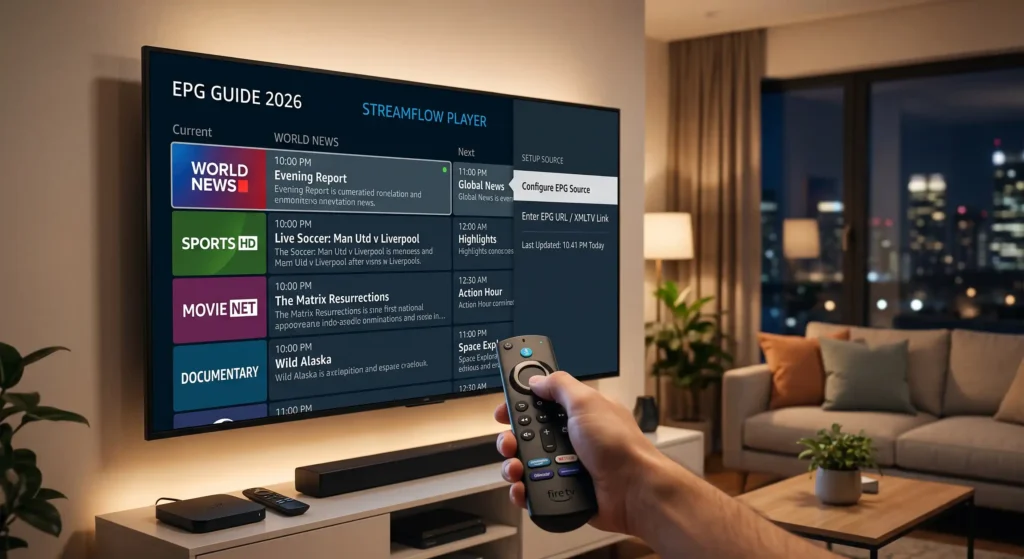
Setting up an effective IPTV EPG guide on your streaming device transforms your casual viewing experience significantly. Cord cutters frequently encounter missing channel schedules when they transition to modern digital media players. Understanding the core mechanics behind schedule synchronization ensures your television listings remain accurate.
Modern streaming devices require proper configuration parameters to fetch remote data feeds without encountering frustrating timeout errors. Whether you are using a basic hardware stick or a powerful box, proper network alignment matters. Our comprehensive tutorial explains every technical aspect needed for a seamless setup process.
Your hardware needs adequate storage space and a stable internet connection to maintain smooth background data refreshes. External servers transmit massive amounts of program schedule data directly to your designated media player application. Configuring these parameters correctly prevents frustrating buffering delays during live television playback.
Many beginners struggle with mismatched time zones and broken XMLTV links when launching their new software interfaces. Taking time to understand how metadata files interact with your player prevents common configuration headaches later. You can visit https://ultimateiptvhub.com for additional streaming insights and tips.
Let us explore the foundational concepts, technical prerequisites, and step-by-step instructions required for optimal configuration today. Following these structured guidelines will yield a reliable channel guide that updates automatically in the background. Enjoy exploring the full potential of your modern home entertainment setup.
Editorial disclosure: This educational guide supports lawful, licensed streaming.
Readers should verify current app availability, device compatibility, pricing, licensing, and local rules through official sources.
Product and platform names belong to their respective owners. Nothing here is legal advice or permission to access unauthorized content.
Table of Contents
- Understanding Electronic Program Guide Fundamentals
- Preparing Your Fire TV Device for Setup
- Obtaining Correct XMLTV and M3U Source Links
- Configuring Guide Settings Within Media Players
- Optimizing Update Intervals and Cache Storage
- Troubleshooting Common Channel Loading Errors
- Enhancing Home Network and Wi-Fi Reliability
- Maintaining Privacy and Security While Streaming
- Frequently Asked Questions
- Final Verdict
Understanding Electronic Program Guide Fundamentals
An electronic program guide acts as the digital television schedule for your favorite streaming networks and channels. Every reliable IPTV EPG guide compiles rich metadata including broadcast times, episode synopses, and network logos. Understanding this underlying structure helps users diagnose why specific schedule details fail to load properly.
The system relies heavily on structured text formats like XMLTV to map channel IDs to specific broadcast feeds. Without a properly formatted source link, your media player cannot associate channel names with visual schedules. This creates blank grids that leave viewers guessing about currently airing television programs.
Time synchronization plays a crucial role in ensuring that your program listings display accurate real world timing. If your local device clock drifts away from coordinated universal time, your schedules will appear shifted. Ensuring accurate hardware time settings resolves many common scheduling discrepancies instantly.
External providers generate these XML files continuously to reflect real time schedule updates and daily broadcast changes. Your media player downloads these large data packages periodically during background sync operations. Managing download frequencies prevents excessive bandwidth consumption on limited home internet data plans.
Caching mechanisms store downloaded metadata locally on your hardware storage for quick retrieval during daily channel surfing. When cache files become corrupted or outdated, your interface may freeze while attempting to render listings. Clearing corrupted cache data restores normal grid responsiveness without requiring complete reinstallation procedures.
Channel mapping connects your active playlist streams with the corresponding metadata entries found inside your guide source. If channel identifiers do not match precisely, your application displays placeholder text instead of actual show titles. Proper mapping ensures every network icon aligns neatly with its corresponding video broadcast stream.
Grasping these fundamental concepts empowers users to troubleshoot minor display glitches before contacting customer support channels. A well maintained scheduling framework provides an effortless viewing experience comparable to traditional cable television services. Knowledge of these backend mechanics turns frustration into complete control over your media player.
Preparing Your Fire TV Device for Setup
Before installing any software, ensure your hardware runs the latest available operating system software updates securely. Manufacturers release critical security patches and performance improvements that directly influence overall streaming stability. Checking system settings prevents unexpected compatibility issues during your initial application installation phase.
Sufficient internal storage capacity is mandatory for downloading large schedule data files and application cache packages. Devices running dangerously low on storage frequently experience sudden application crashes and sluggish menu navigation responses. Uninstalling unused applications frees up valuable memory resources for your preferred media player.
Enabling installation permissions for trusted third party applications allows you to acquire specialized media players easily. Navigate through your device settings to locate developer options and activate unknown sources securely today. This essential preparation step enables successful app deployment from official or approved repositories.
Organizing your streaming workspace involves closing background applications that consume valuable random access memory resources unnecessarily. A clean operating environment ensures your chosen application dedicates maximum processing power to rendering complex channel grids. Performance tuning directly enhances your daily Fire TV streaming setup experience.
Network connectivity checks should be performed to verify that your Wi-Fi signal strength remains consistently strong. Weak wireless signals lead to interrupted data downloads and incomplete schedule synchronization across all loaded channel categories. Positioning your hardware closer to the wireless router minimizes packet loss during heavy data transfers.
Preparing a dedicated notepad to record your playlist URLs and credentials prevents costly transcription mistakes. Entering long web addresses using a standard remote control tests the patience of even experienced streaming enthusiasts. Utilizing companion mobile applications for text input simplifies entering complex server links significantly.
Completing these foundational preparation steps guarantees a frictionless software installation and configuration journey on your device. Taking time to organize your digital workspace prevents numerous technical hurdles during subsequent configuration phases. You are now ready to acquire and configure your preferred media player application.
Obtaining Correct XMLTV and M3U Source Links
Acquiring valid playlist and schedule links forms the absolute backbone of your digital television viewing setup. Your service provider supplies these specific web addresses upon successful account activation or subscription renewal. Safeguarding these private URLs prevents unauthorized access and protects your personal streaming account credentials.
The M3U link delivers your primary channel stream URLs, grouping categories, and channel logo graphics automatically. Meanwhile, the XMLTV link supplies the detailed program schedule data required for your electronic grid display. Both links must work harmoniously to provide a complete and functional television viewing environment.
Always verify that your acquired URLs use secure protocols like HTTPS to ensure encrypted data transmission. Unsecured links leave your connection vulnerable to interception or malicious tampering by unauthorized third party entities. Prioritizing network security protects your personal data throughout every daily viewing session.
Test your source links in a web browser on another device to confirm active server responses. A valid link typically returns raw text code or an automatic file download rather than error messages. Verifying link integrity beforehand saves considerable time during application configuration on your television.
Avoid sharing your unique subscription URLs across public forums or social media messaging channels recklessly. Service providers often monitor link activity and suspend accounts that exhibit unusual multi device connection patterns. Protecting your unique identifiers ensures uninterrupted service availability throughout your subscription duration.
Keep backup copies of your active links in a secure password manager or encrypted document safely. Hardware failures or accidental application uninstalls require you to reenter these exact web addresses periodically. Having immediate access to your credentials simplifies restoring your favorite television guide layout quickly.
Understanding the distinction between playlist links and guide links prevents common input errors during setup. Double check every character when typing web addresses manually into your media player application interface. Precise link management guarantees reliable data synchronization every time your application launches.
Configuring Guide Settings Within Media Players
Launch your installed media player application and navigate directly to the primary settings menu dashboard. Look for options labeled playlists, data sources, or electronic program guide configurations within the interface. Accessing these menus correctly allows you to link your source files without unnecessary confusion.
Enter your M3U playlist URL carefully into the designated stream source input field without typos. Next, locate the XMLTV URL input field and paste your corresponding schedule data link securely. Ensuring proper placement of both distinct URLs is vital for successful channel schedule synchronization.
Adjust your time zone offset settings to match your exact geographical location for accurate broadcast timing. Incorrect time zone configurations cause your program schedules to appear hours ahead or behind actual broadcasts. Precise offset alignment ensures your reminder notifications trigger at the correct local viewing times.
Enable automatic background updates so your application refreshes schedule metadata without manual user intervention required daily. Setting appropriate update frequencies prevents stale program data from confusing your evening television viewing schedule. Regular background synchronization keeps your electronic program guide accurate and responsive continuously.
Customize channel visibility settings by hiding unwanted categories or rearranging network order for effortless navigation. A streamlined channel lineup makes discovering your favorite sporting events and movies much faster and enjoyable. Take advantage of custom grouping features to personalize your daily media consumption experience.
Save your configuration changes and trigger a manual reload of your channel data to test functionality. Monitor the progress bar as your media player compiles the newly downloaded schedule metadata files. Successful completion displays a fully populated grid containing accurate channel titles and broadcast descriptions.
Review your newly configured electronic program guide across multiple channel categories to verify complete data loading. If certain channels display missing metadata, revisit your source links and check for formatting errors. Proper initial setup minimizes ongoing maintenance and ensures consistent daily entertainment reliability.
Optimizing Update Intervals and Cache Storage
Fine tuning your application update intervals prevents excessive network traffic while ensuring fresh schedule data availability. Setting your refresh frequency to once or twice daily strikes an ideal operational balance perfectly. Overly aggressive update schedules can overwhelm external servers and exhaust your local device memory resources.
Cache storage management directly influences how quickly your media player renders complex channel guides on screen. Over time, accumulated temporary files consume valuable device memory and slow down user interface response times. Periodically clearing outdated cache data revitalizes application performance and eliminates annoying stuttering behaviors.
Configure your media player to store cache files on internal high speed flash storage rather than cloud locations. Local caching guarantees rapid data retrieval whenever you scroll through extensive television schedule grids. This optimization step significantly enhances everyday navigation fluidity across all installed streaming applications.
Monitor your device free space regularly to ensure temporary files do not trigger sudden out of memory errors. Delete unused media files and clear lingering application caches whenever performance begins to degrade noticeably. Proactive storage maintenance prolongs hardware lifespan and sustains peak streaming operational efficiency.
Schedule your automatic data refreshes during off peak hours to avoid competing with live video streams. Running heavy background downloads while watching high definition television can cause frustrating video buffering interruptions. Thoughtful timing schedules ensure seamless entertainment without compromising data freshness or video quality.
Verify that your media player application has permission to run necessary background tasks without aggressive battery optimization. Some operating systems terminate background data sync processes to conserve power, resulting in outdated program guides. Adjusting power management exceptions keeps your schedule synchronization active and reliable around the clock.
Embracing these thoughtful optimization strategies guarantees a responsive and dependable television guide experience on your hardware. Maintaining clean cache storage and sensible update intervals prevents common performance bottlenecks from disrupting your relaxation. Enjoy flawless schedule rendering during every single television viewing session.
Troubleshooting Common Channel Loading Errors
Encountering missing channel schedules is a common frustration that most streaming enthusiasts resolve through systematic troubleshooting. Begin your diagnostic process by verifying that your internet connection remains active and stable. Temporary network drops frequently interrupt data downloads and prevent successful guide synchronization attempts.
When channel logos fail to appear alongside your program titles, check your XMLTV source link integrity. Invalid URLs or expired subscription accounts prevent media players from fetching necessary graphic assets successfully. Reentering your source web addresses often resolves stubborn display errors instantly and effectively.
Time synchronization discrepancies frequently cause program guides to display incorrect broadcast schedules for your local time. Access your device master clock settings and enable automatic network time synchronization to correct offsets. Accurate system clocks ensure your television schedules align perfectly with real world broadcast events.
Application crashes during guide updates usually indicate corrupted cache files or insufficient free device storage space. Clear your application cache through the system settings menu and restart your streaming hardware completely. This simple maintenance procedure clears lingering software conflicts and restores normal operational stability.
If specific channel categories remain blank, inspect your channel mapping configurations for mismatched identification tags. Ensuring exact alignment between your M3U playlist IDs and XMLTV channel tags restores missing program metadata. Detailed manual mapping corrects persistent display errors that automated sync processes miss.
Outdated media player software can struggle to parse modern compressed XMLTV data feeds efficiently. Update your application to the newest stable release provided by the official developer marketplace or repository. Running current software versions ensures compatibility with modern streaming standards and protocol updates.
Persistent connection failures may require you to restart your home router and modem hardware completely. Power cycling networking equipment clears local IP conflicts and refreshes your external internet routing paths. Systematic troubleshooting guarantees a swift resolution to almost any unexpected channel loading difficulty.
Enhancing Home Network and Wi-Fi Reliability
A robust home network infrastructure is essential for maintaining seamless media streaming and rapid data downloads. Wi-Fi interference from neighboring networks can severely degrade your wireless signal quality and transmission speeds. Positioning your streaming device away from large electronic appliances minimizes wireless interference significantly.
Upgrading your wireless router to a modern dual band or tri band model improves overall data handling. Connecting your Fire TV hardware to the less congested five gigahertz frequency band boosts streaming performance. Faster wireless speeds ensure your program guides download completely without frustrating timeout errors occurring.
Consider utilizing an ethernet adapter for your streaming device to achieve maximum possible connection stability. Wired network connections eliminate wireless dropouts and deliver consistent throughput for high bandwidth video streams. Physical cabling provides the ultimate reliable foundation for intensive home entertainment setups.
Manage bandwidth intensive background activities on other connected household devices to prioritize your streaming hardware. Heavy file downloads or online gaming on concurrent devices can starve your media player of necessary bandwidth. Prioritizing network traffic ensures your live television playback remains smooth and uninterrupted.
Regularly reboot your networking equipment to clear memory leaks and maintain optimal routing table performance. A simple weekly power cycle keeps your router operating at peak efficiency for all connected devices. Proactive network maintenance prevents mysterious connection drops during important live television broadcasts.
Monitor your broadband connection speeds using official testing tools to verify your internet service provider performance. Ensuring your delivered speeds match your contracted plan guarantees adequate bandwidth for high definition streaming. Consistent network performance is the cornerstone of any successful cord cutting entertainment setup.
Investing time in optimizing your home network infrastructure pays dividends in everyday streaming enjoyment and reliability. Eliminating Wi-Fi dead zones and bandwidth bottlenecks ensures your digital television guide loads instantly every time. Enjoy a frustration free entertainment experience backed by a solid and dependable home network.
Maintaining Privacy and Security While Streaming
Safeguarding your digital privacy while engaging with online streaming services requires constant vigilance and proactive measures. Always ensure your device operating system runs the latest security updates to protect against vulnerabilities. You can review guidelines provided by https://www.cisa.gov/secure-our-world for foundational cybersecurity practices. Protecting your network traffic prevents unauthorized interception of sensitive personal account credentials.
Utilize reputable virtual private network services to encrypt your internet traffic and mask your IP address. Encryption prevents your internet service provider from monitoring your specific streaming activities and bandwidth usage patterns. Choosing a trustworthy privacy provider ensures your digital footprint remains hidden from malicious third parties.
Never enter your private subscription credentials into unverified third party applications or untrusted web portals. Stick exclusively to official media player applications downloaded from recognized and secure app marketplaces. Vigilance regarding software authenticity protects your personal information from sophisticated phishing scams.
Enable two factor authentication on all accounts associated with your streaming services and cloud storage profiles. This security layer adds an extra barrier against unauthorized access even if your password is compromised. Protecting your digital accounts ensures peace of mind during every daily viewing session.
Review the intellectual property frameworks outlined by https://www.wipo.int/en/web/copyright to understand digital content regulations fully. Compliance with local copyright laws ensures your streaming activities remain entirely lawful and ethical. Respecting creator rights fosters a sustainable ecosystem for digital media distribution worldwide.
Avoid clicking on suspicious advertisements or pop up notifications within free third party streaming applications. Malicious links can compromise your device security and install unwanted tracking software onto your hardware. Maintaining cautious browsing habits is vital for a safe and secure home entertainment environment.
Conduct periodic security audits of your installed applications and remove any software you no longer use. Minimizing your digital attack surface reduces potential entry points for malicious actors targeting smart devices. Prioritizing robust cybersecurity practices ensures a protected and enjoyable streaming experience for your household.
Frequently Asked Questions
What is an IPTV electronic program guide?
An electronic program guide functions as a digital television schedule displaying network broadcasts and show information. It organizes live channels and descriptions into an intuitive grid interface for effortless viewing.
This scheduling data is typically sourced via XMLTV links provided by your digital television service. Proper configuration ensures your media player accurately maps these schedules to corresponding video streams.
Why are my channel logos and descriptions missing on Fire TV?
Missing logos or descriptions usually indicate broken XMLTV source links or incorrect channel mapping configurations. Verifying your URLs and refreshing your application data cache typically resolves this common display error.
Network connectivity interruptions during data downloads can also prevent graphic assets from loading properly. Restarting your device and triggering a manual metadata sync restores complete guide information.
How often should my program guide data refresh?
Refreshing your program guide data once or twice daily strikes an ideal operational balance. This frequency ensures fresh schedule information without overwhelming external servers or consuming excessive bandwidth.
Configure your media player to perform these updates automatically during off peak overnight hours. Automated background synchronization prevents stale listings from confusing your evening television viewing schedule.
Can I use multiple guide sources simultaneously?
Many advanced media players support multiple playlist and guide sources configured within separate profiles. However, combining multiple sources for a single playlist can cause channel ID conflicts and mapping errors.
It is generally best to use the dedicated guide source supplied directly by your provider. This ensures seamless metadata alignment across your entire active channel lineup.
Does a slow internet connection affect channel data loading?
A slow internet connection significantly delays downloading large schedule metadata files and channel logo graphics. Weak network signals can cause guide synchronization processes to timeout before completion.
Improving your Wi-Fi signal strength or switching to a wired ethernet connection resolves these bottlenecks. Reliable broadband speeds ensure your electronic program guide loads instantly every time.
Final Verdict
Mastering the art of setting up your digital television schedules transforms your everyday viewing experience completely. A properly configured IPTV EPG guide delivers the familiarity of traditional cable straight to your media player. Taking time to understand XMLTV links and cache optimization prevents frustrating technical hurdles.
Ensuring your home network remains stable and secure protects your devices from unexpected performance bottlenecks. Following structured setup procedures guarantees your channel listings remain accurate and responsive around the clock. Diligent maintenance practices prolong your hardware lifespan and sustain peak streaming operational efficiency.
Compliance with digital copyright laws and cybersecurity best practices ensures your entertainment setup remains lawful and protected. Utilizing trusted applications and secure connections safeguards your personal information from malicious actors effectively. Prioritizing digital safety fosters a reliable and enjoyable environment for your entire household.
Troubleshooting common loading errors becomes straightforward when you understand the underlying metadata mechanics. Systematic checks of time zones, source URLs, and device storage prevent minor glitches from disrupting relaxation. Patience during initial configuration pays dividends in long term streaming reliability and ease of use.
Embracing these professional setup techniques empowers you to manage your home entertainment system like an expert. Enjoy seamless navigation through your favorite television channels backed by an accurate and rapid schedule grid. Your investment in proper configuration ensures countless hours of flawless digital entertainment enjoyment.
Apply these comprehensive strategies today to elevate your Fire TV streaming setup to professional standards. Consistent maintenance and robust network security guarantee a premium television viewing experience for years ahead. Make the most of your digital media player with a perfectly synchronized electronic program guide.