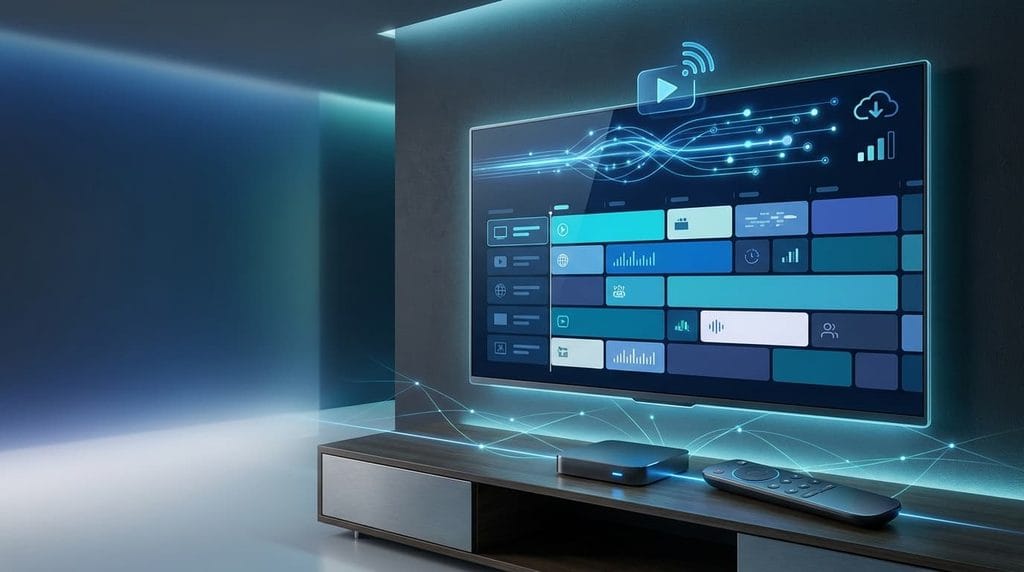
IPTV EPG: The Complete Guide to Setup, XMLTV Files and Electronic Program Guides
A modern IPTV setup is not only about having access to live channels. A large channel list without proper organization can make browsing difficult and time-consuming.
This is where IPTV EPG becomes essential.
An electronic program guide transforms a simple IPTV playlist into a complete television experience by displaying channel schedules, program names, descriptions, and broadcast times directly inside your IPTV application.
Whether you use Android TV, Firestick, Smart TV, or another streaming device, understanding how guide data works will help you create a cleaner and more professional viewing environment.
Before configuring your guide, it is recommended to understand the basics of IPTV technology and how streaming services work. You can read our complete guide about how IPTV works and how IPTV streaming delivers television content.
Table of Contents
What Is IPTV EPG?
IPTV EPG (Electronic Program Guide) is a digital system that provides television schedule information inside IPTV applications.
Unlike a basic playlist that only displays channel names, a properly configured guide can show:
- Current programs
- Upcoming shows
- Movie information
- Sports schedules
- Episode details
- Program descriptions
Traditional cable and satellite systems include this feature automatically. IPTV users usually need to connect an external guide source to display the same type of information.
A complete IPTV system normally contains three main components:
| Component | Purpose |
|---|---|
| M3U Playlist | Provides live streaming channels |
| XMLTV Guide | Provides program schedules |
| IPTV Player | Displays channels and guide information |
The playlist tells your application where the channel stream is located, while the guide data explains what program is currently playing.
Why Is an Electronic Program Guide Important?
Many IPTV users have hundreds or thousands of channels. Without proper organization, finding content becomes frustrating.
A well-configured guide improves the experience in several ways.
Faster Channel Navigation
Instead of opening channels one by one, users can browse a familiar TV-style interface.
Better Content Discovery
A guide makes it easier to find:
- Live sports events
- Movies
- News channels
- Entertainment programs
- TV series
Professional Television Experience
A structured guide gives your IPTV setup a similar feeling to traditional television platforms.
How Does IPTV EPG Work?
Understanding the technology behind electronic guides makes configuration and troubleshooting much easier.
The system works through communication between three elements:
1. M3U Playlist
The M3U file contains information about your live channels.
Usually it includes:
- Channel name
- Streaming address
- Logo information
- Channel identifier
Example:
#EXTINF:-1, News Channel
http://example.com/live/channel.m3u8
The M3U playlist is responsible for delivering the video stream.
2. XMLTV Program Data
Most IPTV guides use XMLTV format to store schedule information.
An XMLTV file can contain:
- Channel IDs
- Program titles
- Start times
- End times
- Episode descriptions
Official XMLTV information:
https://www.xmltv.org/
Example:
<programme start="20260824090000">
<title>Morning News</title>
<desc>Latest international updates</desc>
</programme>
The IPTV application reads this information and matches it with your channels.
3. IPTV Player Application
The IPTV player combines:
- Your playlist
- Your guide source
- Your device settings
Then it creates the final TV interface you see on your screen.
Different applications may have different menus, but the configuration principle remains the same.
IPTV EPG and XMLTV Channel Matching
One of the biggest reasons users experience missing program information is incorrect channel matching.
Your playlist may contain:
channel-id="sport01"while your XMLTV file contains:
channel-id="sports-channel"The application cannot connect the schedule information with the correct channel.
To avoid this issue:
- Keep playlist and guide data synchronized
- Check channel identifiers
- Update outdated sources
- Refresh your guide regularly
Correct channel mapping is one of the most important steps for a successful setup.
Preparing Your IPTV EPG Setup
Before adding guide data to your application, prepare the necessary elements.
You need:
A Working M3U Playlist
Your playlist provides access to live channels.
A Compatible XMLTV Source
Your guide source provides program schedules.
A Supported IPTV Application
Your player must support external guide information.
If you are installing IPTV for the first time, check our complete IPTV setup guide before configuring your electronic guide.
Safe and Reliable Configuration Practices
When connecting external data sources, always use trusted providers and secure connections.
For general online security recommendations, you can review:
CISA Secure Our World:
https://www.cisa.gov/secure-our-world
Good practices include:
- Avoid suspicious links
- Use secure HTTPS connections when available
- Keep applications updated
- Protect your home network
How to Setup IPTV EPG on Android TV
After preparing your playlist and guide source, the next step is connecting everything inside your IPTV application.
Setting up an IPTV EPG on Android TV is usually simple because most modern IPTV players follow the same basic configuration process.
You normally need:
- A working M3U playlist
- A compatible XMLTV guide source
- An IPTV player that supports external guide data
- A stable internet connection
If you are still preparing your device, check our complete Android TV IPTV setup guide before continuing.
Step 1: Open Your IPTV Player Settings
Launch your IPTV application and access the configuration menu.
Depending on the application, the option may be called:
- EPG Settings
- TV Guide
- Program Guide
- XMLTV Settings
- Playlist Configuration
The goal is always the same: connect your channel list with the correct schedule data.
Step 2: Add Your EPG URL
Inside the guide settings, you will usually find a field where you can enter your XMLTV source.
Example:
https://example.com/epg.xmlAfter adding the URL:
- Save the configuration
- Start guide synchronization
- Wait until the download finishes
- Open your channel list
A successful configuration should display:
- Current programs
- Future schedules
- Program descriptions
- Channel information
XMLTV is designed specifically for storing and exchanging television listing information between applications.
Step 3: Match Channels Correctly
Even when the guide source loads successfully, some channels may still show no information.
This usually happens because the channel identifier in the playlist does not match the identifier inside the guide file.
Example:
Playlist:
tvg-id="channel.news"XMLTV:
<channel id="news.channel">The player cannot understand that both channels are the same.
To solve this:
- Check channel IDs
- Update your playlist
- Refresh guide data
- Remove duplicate channels
Correct mapping is one of the most important factors for reliable guide performance.
Best IPTV Players Supporting Electronic Guides
Choosing the correct IPTV application affects your overall experience.
A good player should support:
- XMLTV sources
- Automatic updates
- Channel grouping
- Manual refresh
- Guide customization
Popular IPTV players usually include options for:
- Playlist management
- External guide URLs
- Channel sorting
- Cache control
Before choosing an application, you can also check our guide about best IPTV players for Android TV and Firestick.
IPTV EPG Not Working? Complete Troubleshooting Guide
Sometimes the setup appears correct, but the program guide does not load properly.
Here are the most common problems and solutions.
Problem 1: Empty Guide or No Programs Showing
Possible reasons:
- Wrong XMLTV URL
- Expired guide source
- Server unavailable
- Incorrect channel matching
Solution:
First check whether your XMLTV link is accessible.
If the file cannot be opened, the issue is probably with the source.
If the file works but the guide remains empty, check channel identifiers.
Problem 2: Channels Appear but Schedule Information Is Missing
This usually means your playlist works correctly but the metadata cannot connect.
Possible causes:
- Different channel names
- Missing IDs
- Updated playlist
- Incorrect mapping
Solution:
Refresh your playlist and rebuild the channel connection.
Problem 3: Programs Display Wrong Times
Incorrect schedules are often caused by timezone problems.
Check:
- Android TV timezone
- Automatic date settings
- Guide timezone configuration
A wrong clock can shift every program several hours.
Problem 4: Guide Updates Very Slowly
Large guide files may require more time to download.
To improve speed:
- Use a reliable guide source
- Remove unused channels
- Clear old application cache
- Avoid excessive refresh requests
How Often Should You Refresh IPTV Guide Data?
Many users refresh their guides too frequently.
A daily update is usually enough for most viewers.
Recommended settings:
| Usage | Refresh Frequency |
|---|---|
| Normal viewing | Every 24 hours |
| Heavy TV users | Every 12 hours |
| Testing setup | Manual refresh |
Constant updates do not always improve accuracy and may create unnecessary network requests.
Improving IPTV Guide Performance on Android TV
A smooth experience depends on more than the guide source.
Keep Your Application Updated
Updated applications often improve:
- XMLTV compatibility
- Loading speed
- Stability
- Security
For official Android TV information, visit the Android TV Help Center.
Clear Cache Regularly
Temporary files can accumulate over time.
A cache cleanup may fix:
- Slow guide loading
- Missing information
- Application freezing
Important:
Clearing cache removes temporary files.
Clearing application data removes your saved settings.
Maintain Enough Storage Space
Android TV devices with limited storage may struggle with large guide files.
Keep enough free space for:
- Application updates
- Temporary files
- Downloaded metadata
Protect Your Streaming Environment
When managing connected devices, security should always be considered.
Recommended practices:
- Use secure home Wi-Fi
- Keep applications updated
- Avoid unknown links
- Use trusted sources
For general online safety recommendations, review:
Advanced Tips for Better Guide Accuracy
For users who manage large channel lists, these improvements can make a big difference.
Remove Unused Channels
Large playlists can slow synchronization.
Keep only channels you actually watch.
Organize Channel Groups
Create categories such as:
- Sports
- Movies
- News
- Kids
- International
This improves navigation.
Backup Your Configuration
Save:
- Playlist information
- Guide URL
- Application settings
A backup allows you to restore your setup quickly after reinstalling your application.
Advanced IPTV Guide Optimization and Long-Term Maintenance
After completing the initial configuration, maintaining your electronic program guide correctly is essential for a smooth streaming experience.
A properly maintained setup helps prevent:
- Missing schedules
- Incorrect program information
- Slow loading times
- Application errors
Regular maintenance ensures that your streaming environment remains organized and reliable.
How to Keep Your IPTV Guide Accurate Over Time
Guide information changes constantly because channels update:
- Program schedules
- Channel names
- Categories
- Broadcasting times
For this reason, checking your configuration regularly is recommended.
Verify Your Guide Source
From time to time, check that your XMLTV source is still active.
A reliable source should provide:
- Updated program listings
- Correct channel information
- Stable connection
If your guide suddenly stops working, the first step is always checking whether the source is still available.
Keep Your Playlist and Guide Synchronized
One of the biggest causes of missing information is a difference between your playlist and guide data.
For the best results:
- Update your playlist when necessary
- Refresh your guide after playlist changes
- Remove duplicate channels
- Check channel identifiers
When both sources are synchronized, your IPTV application can display accurate program information.
Backup Your IPTV Configuration
A backup can save significant time if you reinstall your application or replace your device.
Keep a copy of:
- Playlist details
- Guide source information
- Application settings
- Channel organization
This allows you to restore your complete setup quickly.
Improve Streaming Performance
A guide is only one part of a complete IPTV environment.
For better overall performance:
Use a Stable Internet Connection
A reliable connection improves:
- Faster synchronization
- Better channel loading
- Fewer interruptions
Optimize Your Device Storage
Android TV devices with limited storage may become slower over time.
Regular maintenance includes:
- Removing unused applications
- Clearing temporary files
- Installing updates
Restart Your Device Occasionally
A simple restart can solve many temporary problems related to:
- Memory usage
- Network connections
- Application performance
IPTV Guide Security Recommendations
Connected streaming devices should always be managed carefully.
Follow these basic security practices:
- Keep your operating system updated
- Use strong Wi-Fi passwords
- Avoid unknown downloads
- Protect your personal accounts
For additional online security advice, visit:
CISA Secure Our World
https://www.cisa.gov/secure-our-world
Frequently Asked Questions About IPTV EPG
What is IPTV EPG?
An IPTV EPG is an electronic program guide that displays television schedules, program titles, descriptions, and broadcasting information inside IPTV applications.
It works together with playlist files and XMLTV data to create a complete TV guide experience.
Why is my IPTV EPG not showing programs?
The most common reasons are:
- Incorrect XMLTV source
- Channel ID mismatch
- Outdated playlist
- Application cache problems
- Server issues
Start by checking your guide URL and refreshing the data.
What is XMLTV used for in IPTV?
XMLTV is a structured format used to store television schedule information.
It allows IPTV applications to display:
- Program names
- Start times
- End times
- Descriptions
Official XMLTV resources:
https://www.xmltv.org/
Can I use IPTV EPG on Android TV?
Yes. Most modern IPTV applications support external guide sources on Android TV devices.
The exact setup depends on the application you choose.
For Android TV information:
https://support.google.com/androidtv/
How often should I update my IPTV guide?
For most users, updating once every 12 to 24 hours is enough.
More frequent updates are usually unnecessary unless your channel schedules change often.
Why are some channels missing guide information?
Usually because:
- The channel ID does not match
- The XMLTV source does not contain that channel
- The playlist has changed
Checking channel mapping normally solves the problem.
Related IPTV Resources
Continue improving your streaming knowledge with these guides:
- How IPTV Works: Complete Beginner Guide
- Android TV IPTV Setup Guide
- Best IPTV Players Guide
- Fix IPTV Buffering Problems
Final Thoughts
A correctly configured IPTV EPG can completely change the way you use IPTV.
Instead of searching through a long list of channels, you get an organized television interface with clear schedules, program information, and easier navigation.
The key elements of a successful setup are:
- A reliable playlist
- Accurate XMLTV data
- A compatible IPTV application
- Correct channel mapping
- Regular maintenance
By understanding how guide data works and following proper configuration practices, you can create a smoother and more professional streaming experience on Android TV, Firestick, Smart TV, and other compatible devices.
A well-organized IPTV system is not only about accessing channels — it is about creating a simple, comfortable, and enjoyable way to watch television.