No Buffering IPTV: Best Reliable Services & Streaming Fixes in the USA (2026)
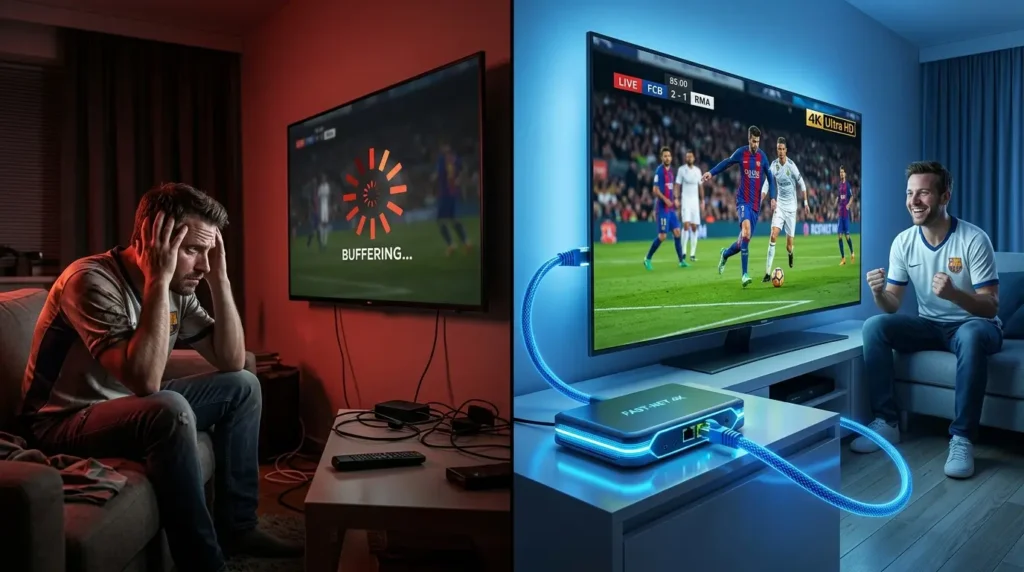
Finding a reliable no buffering IPTV setup is one of the biggest priorities for viewers who watch live sports, movies, and television over the internet. In reality, no provider can guarantee zero buffering at all times, but the right combination of stable servers, capable hardware, good routing, and a properly configured home network can dramatically reduce freezing and playback interruptions. There are few things more frustrating than watching a live match, only to have the screen freeze right before a crucial play.
⚡ Quick Overview: Achieving stable IPTV playback requires looking beyond marketing claims. Real-world streaming stability depends on a combination of robust provider server infrastructure, capable decoding hardware, efficient video codecs like H.265, and a properly optimized home network to secure a true no buffering IPTV experience whenever possible.
Disclaimer: This article is for informational purposes only. We do not host, distribute, or endorse any illegal IPTV service or pirated content. IPTV legality varies by country and region.
Why Is True No Buffering IPTV So Difficult to Achieve?
Unlike Video on Demand platforms such as Netflix or Amazon Prime Video—which preload minutes of footage in advance—live IPTV broadcasts in real time.
When you watch a live broadcast, your media player typically holds only a few seconds of video data in its local buffer. If there is a sudden network congestion spike, server overload, or routing bottleneck, the stream runs out of data to display, triggering the dreaded loading wheel. Consequently, a high-performing no buffering IPTV provider must rely on robust server infrastructure, intelligent load-balancing, and optimized peering to deliver real-time streams smoothly.
Freezing / Buffering
How to Tell Whether IPTV Buffering Comes From the Provider or Your Network
Troubleshooting streaming performance requires a methodical diagnostic approach to isolate where data delivery is breaking down. Because a best USA IPTV service provider relies on multiple transit networks, identifying the weak link helps you apply the right fix rather than guessing blindly.
Consider these diagnostic guidelines during playback issues:
- If every channel buffers: The issue is likely rooted in your local home network, device performance, or your immediate internet connection.
- If only one specific channel buffers: The source stream or provider-side routing for that particular feed is the more probable culprit.
- If switching to a wired connection fixes the problem: Wireless interference or packet loss on your Wi-Fi network was actively contributing to the lag.
- If several devices struggle simultaneously: Household bandwidth congestion or local router limitations are likely involved.
- If playback works seamlessly on one device but fails on another: The decoder capabilities, application software, or hardware limitations of the failing device are contributing factors.
- If a VPN changes performance significantly: Suboptimal internet service provider routing or traffic shaping may be playing a role.
Keep in mind that none of these individual tests proves the root cause entirely by itself; instead, they serve as helpful clues toward securing a stable no buffering IPTV stream.
Top-Performing IPTV Platforms Evaluated
When comparing IPTV platforms, useful factors include peak-hour stability, device compatibility, channel organization, support responsiveness, and pricing. Several platforms stand out for maintaining stable connections and reliable uptime:
1. Ultimate IPTV Hub
Ultimate IPTV Hub focuses on delivering structured channel organization and stable performance for North American and European audiences. During high-traffic sporting events, it maintains consistent stream delivery across supported devices, fulfilling the demand for a reliable no buffering IPTV platform.
- Best For: Viewers looking for structured channel categories and reliable regional support.
- Device Compatibility: Firestick, Android TV boxes, Apple TV, iOS, and major Smart TVs (Samsung Tizen and LG webOS).
- Content Scope: Comprehensive live TV lineups, extensive international sports coverage (Champions League, Premier League, NBA, NFL), and a weekly-updated VOD library.
- Pricing: Competitive tiers ranging from $10.90 (1 Month) up to $59.90 (12 Months).
2. Fast IPTV Service
Fast IPTV Service is recognized for automated activation workflows and strong international sports coverage, utilizing efficient stream routing to handle high-demand viewing hours. It may suit users who prioritize quick setup and broad sports availability.
- Best For: Users seeking quick setup and broad global sports availability.
- Device Compatibility: Firestick, Android devices, iOS, Windows, and Mac web players.
- Content Scope: Over 25,000 live channels focusing on US, South American, and European feeds.
- Pricing: Standard industry alignment at $10.90 (1 Month) to $59.90 (12 Months).
The Best Hardware for Smooth IPTV Streaming
Your provider is only half the equation. Underpowered streaming hardware often struggles to decode high-bitrate live feeds, creating stuttering that mimics internet lag:
- Nvidia Shield TV Pro: Powered by the Tegra X1+ processor, it easily handles high-bitrate video decoding and includes a built-in Gigabit Ethernet port for network stability. According to official hardware specifications, the Nvidia Shield TV Pro specifications confirm its Tegra X1+ processor, HEVC/H.265 playback capability up to 4K60, and onboard Gigabit Ethernet, helping users maintain a dependable no buffering IPTV setup on high-end displays.
- Amazon Fire TV Stick 4K Max: An affordable option featuring Wi-Fi 6 support and a responsive processor for smoother UI navigation.
- Formuler Z11 Pro Max: Tailored for IPTV users, featuring the MYTVOnline 3 interface for optimized live stream handling. Official documentation highlights that the Formuler Z11 Pro Max specifications include Gigabit Ethernet alongside hardware decoding support for H.264, H.265/HEVC, and AV1.
- Apple TV 4K: Combines robust processing power with apps like UHF or Snappier for clean playback performance. Official hardware data outlines that the Apple TV 4K technical specifications support AVC/H.264 and HEVC video playback up to 2160p60 alongside Wi-Fi 6 and Gigabit Ethernet connectivity.
Ethernet vs Wi-Fi: Which Is Better for Stable IPTV Streaming?
Network connectivity plays a massive role in whether your stream remains fluid or encounters stuttering frames. Hardwiring your entertainment system via Ethernet generally provides more predictable latency and removes most wireless interference variables, which can improve IPTV streaming stability.
However, modern wireless standards like 5 GHz Wi-Fi and Wi-Fi 6 can still perform admirably under specific conditions:
- The wireless router is physically nearby with an unobstructed line of sight.
- Wireless signal strength remains consistently high across the room.
- Network congestion on the chosen wireless channel is minimal.
It is important to understand that switching to Ethernet does not magically increase a provider’s server capacity; rather, it removes one major variable—packet loss, radio frequency interference, and signal fluctuation—from your home troubleshooting equation, bringing you closer to a reliable no buffering IPTV experience.
Why Fast Internet Can Still Buffer During Live IPTV
Many consumers assume that subscribing to the highest-tier internet plan available completely shields them from video interruptions. In practice, raw speed numbers only tell part of the story. True streaming stability relies heavily on balanced metrics across several network characteristics:
- Bandwidth: The maximum volume of data your connection can transfer per second.
- Latency: The total round-trip time required for data packets to travel from your device to the server and back.
- Jitter: The statistical variance in packet arrival time, which can destabilize real-time media streams even when average speed is high.
- Packet Loss: Packet loss can cause visual artifacts, audio dropouts, or buffering depending on the streaming protocol and player behavior.
- Provider Congestion: Overloaded transit links or bottlenecked peering ports outside of your local home network.
For example, a stable 50 Mbps connection characterized by low jitter and zero packet loss can provide smoother playback than a 500 Mbps wireless connection suffering from unstable latency spikes. Consequently, speed test results should always be interpreted alongside ping and jitter metrics, and massive download speeds alone do not guarantee a continuous no buffering IPTV session.
What the 2026 World Cup Revealed About Live Sports Streaming
The 2026 FIFA World Cup across North America pushed internet streaming infrastructure to historic levels. With extensive 4K coverage available across multiple networks, peak events demanded significant network headroom.
Major international tournaments underline why home network preparation matters. When millions of concurrent viewers log on simultaneously, unoptimized servers struggle. Ensuring your local connection has adequate capacity and keeping backup viewing options ready helps prevent match-day surprises.
How to Build a No Buffering IPTV Setup: Step-by-Step Troubleshooting
If you experience occasional freezing, systematic troubleshooting can significantly improve stability:
- Check Network Jitter: Use tools like Speedtest.net. High jitter ruins connection stability even if download speeds look high.
- Use a Wired Ethernet Connection: Hardwiring your streaming device eliminates wireless interference from walls and Bluetooth devices. If using Wi-Fi, stick to the 5GHz band.
- Test Another Channel / Stream: Check whether the issue is provider-side. If only one specific channel buffers while others play fine, the source itself may be experiencing a temporary bottleneck.
- Test with a VPN: If you suspect route-specific throttling from your ISP, testing the stream through a trusted VPN can help diagnose whether network routing is contributing to the issue.
- Adjust In-App Buffering: In apps like TiviMate or Smarters Pro, increase the internal buffer size to give your player a safety net against small connection drops.
Should You Increase the IPTV Player Buffer Size?
Adjusting internal application settings is a common recommendation, but it involves a distinct technical tradeoff. Increasing your media player buffer allows the app to store more video data ahead of time, which successfully absorbs short network fluctuations and prevents minor packet loss from causing immediate freezes.
However, a larger player buffer also increases channel-change loading times and pushes your playback further behind the true live broadcast delay. Conversely, a smaller buffer delivers faster channel switching and lower latency, but leaves your stream vulnerable to micro-interruptions on unstable networks. Understanding this balance helps you configure your app to match your local network reality, ensuring an optimized no buffering IPTV experience.
Speed + Ping + Jitter
Rule out Wi-Fi issues
Decoder + CPU + App
Increase player buffer
Check source/provider side
VPN diagnostic if needed
Recommended Connection Headroom
Evaluating actual network capacity helps avoid performance bottlenecks:
Video Codecs and Efficiency: H.264 vs. H.265
The video codec used by your streaming provider heavily influences stream performance. The transition from H.264 to High-Efficiency Video Coding (HEVC / H.265) has transformed modern delivery.
HEVC can reduce required bitrates substantially—sometimes approaching 50% compared with H.264 at similar visual quality—though actual savings depend on content complexity. For slower connections, utilizing H.265-optimized streams helps reduce data bottlenecks, provided your playback hardware supports HEVC decoding. As a reference point for general network requirements, official documentation on YouTube system requirements and playback speeds outlines sustainable delivery thresholds, including roughly 5 Mbps for standard 1080p and around 20 Mbps for high-definition 4K playback.
You want the widest compatibility across older Smart TVs, streaming sticks, apps, and media players.
Your playback device supports HEVC and you want better bandwidth efficiency for HD or 4K streams.
H.265 can reduce bitrate requirements, but it does not eliminate buffering caused by network or server problems.
Quick No Buffering IPTV Checklist
Review this concise checklist whenever you need to diagnose or optimize your home streaming setup:
- Test another channel to isolate source-side issues.
- Run a speed and jitter evaluation to verify network stability.
- Compare wireless performance with a direct Ethernet connection.
- Restart your streaming application to clear temporary caches.
- Check device operating temperature and CPU load.
- Verify hardware compatibility with H.264 and H.265 video formats.
- Test an alternate playback device if available.
- Try an alternate routing solution only when severe network throttling is suspected.
As a final note regarding DNS configuration, utilizing a tool like the Cloudflare 1.1.1.1 public DNS resolver can be useful for fast domain name resolution. A faster DNS resolver may improve domain lookup time in some situations, but it does not increase the bitrate available to an already-established video stream.
Frequently Asked Questions (FAQ)
What internet speed do I need for stable IPTV streaming?
As a practical connection-headroom target, 15–25 Mbps is comfortable for a single HD stream, while 35–50 Mbps gives more margin for 4K. Actual stream bitrate can be lower, and stability, jitter, and household traffic also matter.
Why does buffering happen more during live sports?
Live sports create massive simultaneous data requests on provider servers in real time, unlike VOD movies that can preload data in the background.
Can a VPN prevent streaming lag?
A VPN can help diagnose or bypass route-specific ISP throttling, though it may occasionally add latency depending on server distance.
Can I completely eliminate IPTV buffering?
Buffering can be significantly minimized, but no internet-delivered live service can guarantee zero interruptions in every situation due to external variables like public internet routing and peak server demand. A well-configured network and compatible playback device can reduce these risks substantially.
Is Ethernet better than Wi-Fi for IPTV?
Yes, Ethernet offers superior predictability by removing wireless interference, walls, and signal dropouts from the equation.
Does H.265 reduce IPTV buffering?
HEVC reduces bitrate requirements when supported by hardware, but it cannot solve upstream provider congestion or unstable routing.
Why does IPTV buffer even with fast internet?
High raw speed does not protect against jitter, packet loss, Wi-Fi instability, or server-side congestion during high-traffic events, which is why optimizing for a stable stream requires examining more than just raw bandwidth numbers.